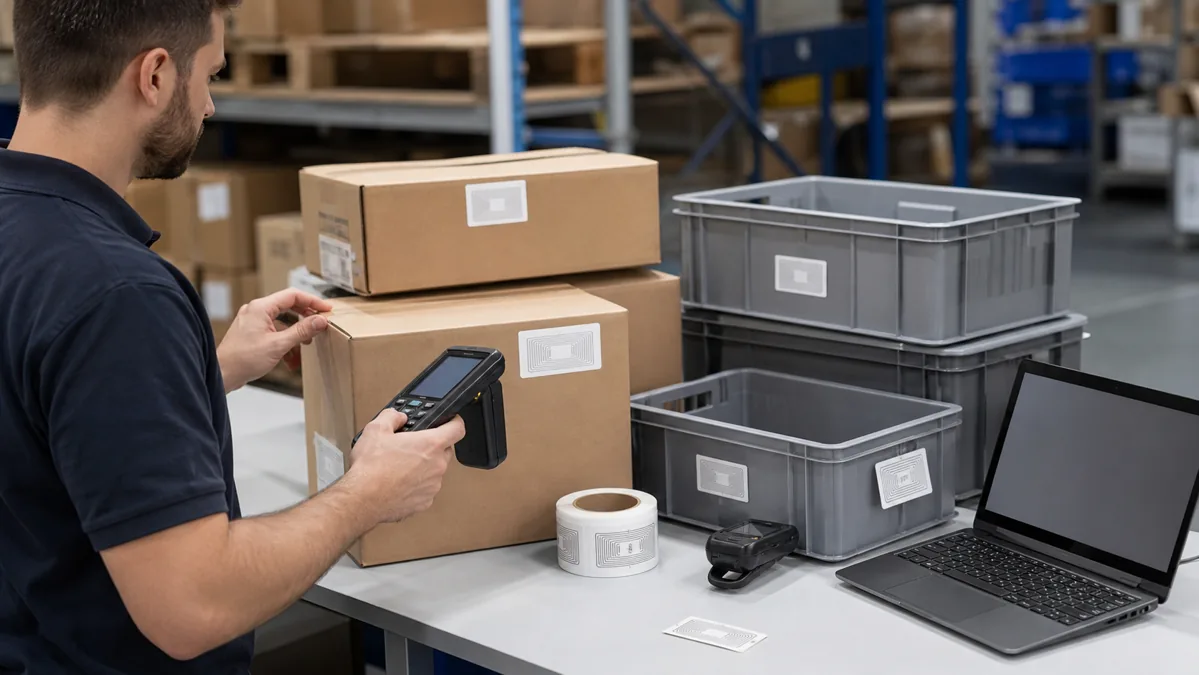
RFID Tags

Take a break and read all about it

RFID Tags for Food Traceability: Packaging and Cold Chain Checklist

RFID tags for food traceability work best when the tag is selected around the package, the read point, and the data workflow, not around the tag name alone. A label that reads well on a dry corrugated carton may perform differently on a wet plastic crate, a foil-lined insulated box, or a tray of liquid-rich products. Before ordering at scale, buyers should define the traceable unit, confirm the packaging surface, and test samples in the same cold room, dock door, or conveyor environment where the tags will be used.

For most food logistics projects, passive UHF RFID labels are the first option to evaluate because they support fast carton, case, tote, and pallet identification. HF or NFC tags may still fit short-range consumer interaction, authentication, or item-level scenarios. The right choice depends on whether the project needs fast inventory capture, chain-of-custody visibility, consumer engagement, or durable asset tracking for reusable crates.

Which RFID Tag Fits Food Traceability?

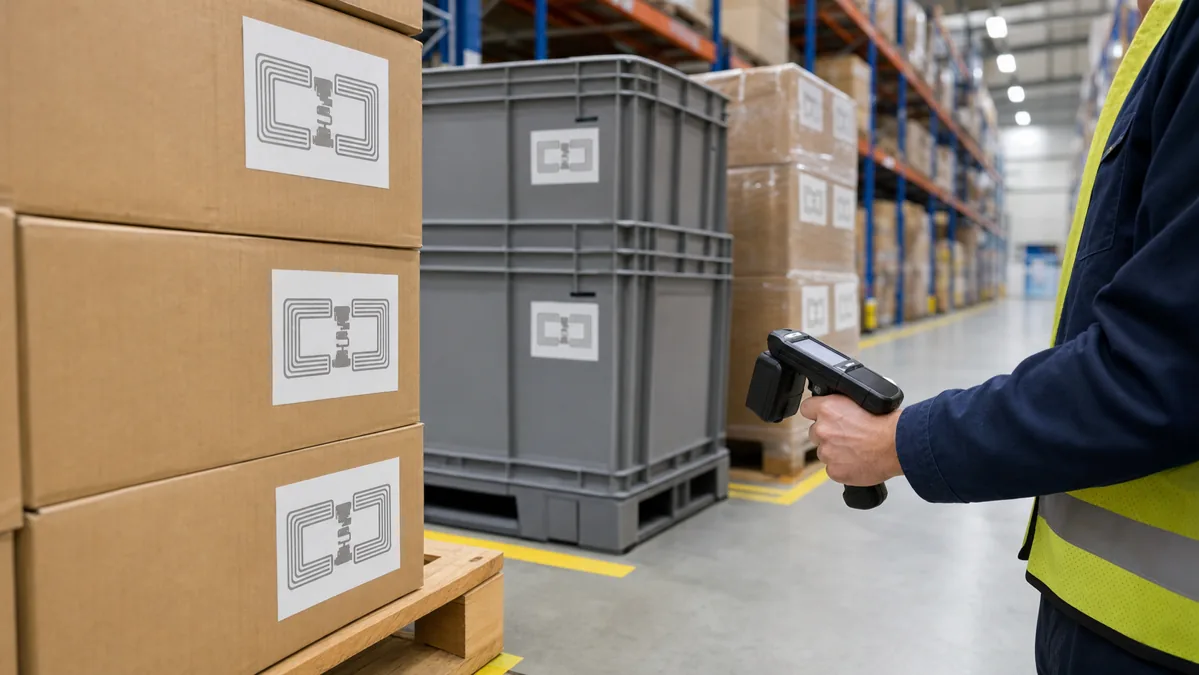
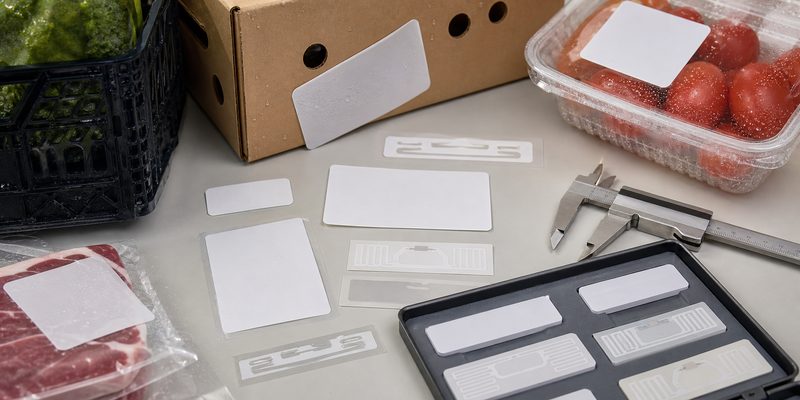
Start with a custom RFID sticker or label for dry cartons and outer packaging. Move to synthetic face stock, stronger adhesive, or a sealed tag when moisture, condensation, abrasion, or repeated handling is expected. Use RFID inlays when a converter needs to build the antenna and chip into a printed label, smart package, or custom label format.

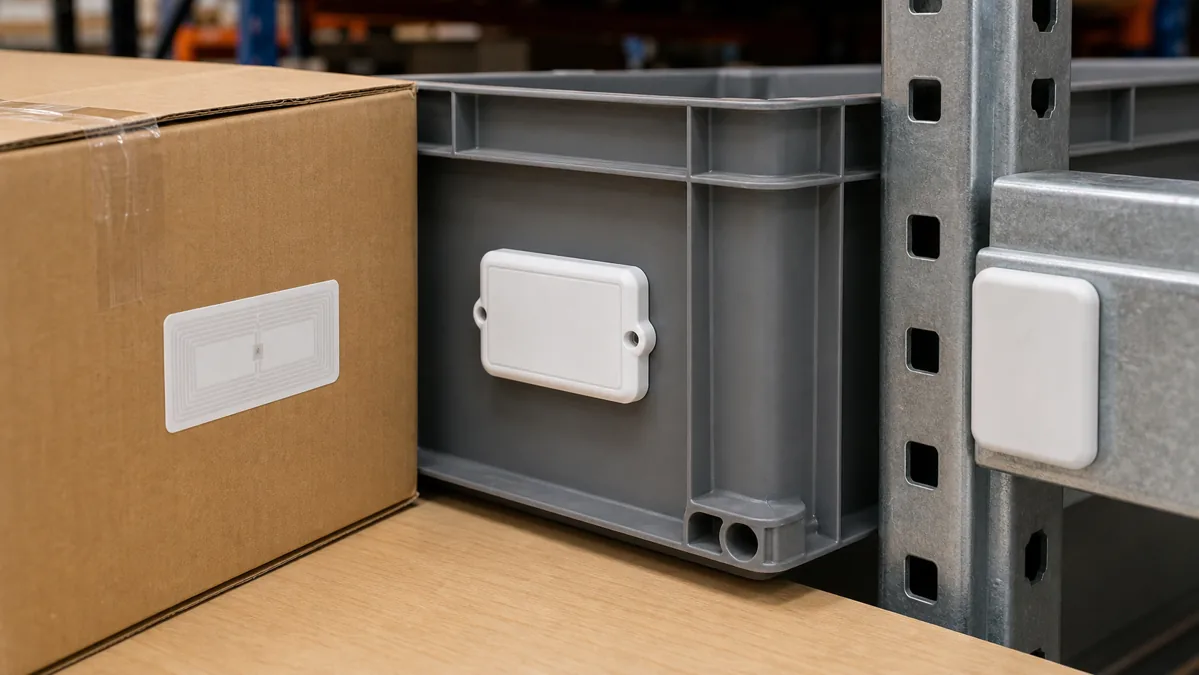
If the project tracks cases, totes, and pallets through receiving or dispatch, evaluate UHF RFID tags. If the project links consumers to product information by phone, NFC may be a better fit. If the tag must stay on a reusable plastic crate, cold box, or metal rack, ask whether a more durable waterproof RFID tag or asset tag is needed instead of a disposable paper label.
RFID

Define the Traceable Unit Before Choosing the Label

Food traceability can happen at several levels: item, inner pack, case, tote, pallet, or returnable transport item. Do not choose the smallest tag by default. A carton-level label may be enough for warehouse receiving, while item-level tagging can add unnecessary cost and complexity if the system only needs lot movement and dispatch confirmation.

Before requesting samples, document what the software will identify: EPC number, SKU, lot, batch, production date, shelf-life status, shipment ID, or a reusable container ID. In many deployments, the RFID tag stores a unique identifier while the detailed food traceability data lives in the backend system. That keeps tag encoding simple and makes data corrections easier than writing every attribute onto tag memory.

Packaging Surface Changes RFID Performance

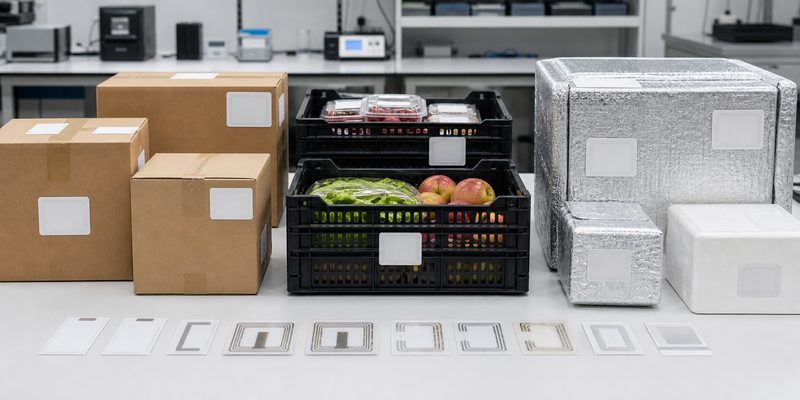
RFID performance is strongly affected by the surface behind the label. Corrugated cardboard is usually easier than foil-lined insulation, metalized film, liquid-heavy products, or wet plastic. Food packaging also introduces condensation, frost, grease, cleaning chemicals, and rough handling. These conditions may damage the face stock, weaken adhesive, or change how the antenna couples with the package.

For carton labels, confirm the label size, antenna orientation, adhesive, and printer compatibility. For plastic crates, check whether the label will be disposable or must survive many wash and return cycles. For insulated boxes or foil surfaces, test actual samples because the reflective material can reduce read consistency. For liquid-rich products, avoid assuming that a label proven on dry goods will work without adjustment.

Food Traceability RFID Tag Options

Tag option Best fit What to confirm before ordering
Paper UHF RFID label Dry cartons, cases, pallet labels, general warehouse flow Printer method, adhesive, read distance target, EPC encoding rule
Synthetic RFID label Chilled cartons, damp handling, plastic packaging, condensation risk Face stock, adhesive, moisture exposure, freezer or refrigeration test
Custom RFID inlay Smart packaging, label converting, brand-specific label sizes Antenna size, chip, converting process, placement tolerance
Durable asset RFID tag Reusable crates, totes, cold boxes, racks, food service containers Mounting method, washing process, impact risk, read points
NFC tag Consumer product information, authentication, digital packaging Phone compatibility, surface material, NDEF data, lock or rewrite plan

Cold Chain Projects Need Material Testing, Not Just Chip Selection

Cold chain RFID labels should be tested through the same temperature, humidity, and handling pattern expected in the project. A sample that reads on a room-temperature carton may curl, lose adhesion, or scan inconsistently after refrigeration or condensation. The practical test is simple: apply labels to real packages, cool them under normal conditions, move them through the actual read point, and record missed reads by label position and package type.

When the package is exposed to water, ice, cleaning, or repeated handling, ask for material samples before choosing the chip. In many projects, upgrading from paper to synthetic construction solves more problems than changing memory size. If the project also needs temperature history, that becomes a separate sensing requirement and should be confirmed with the system provider before assuming a standard passive RFID label can record environmental data.

Handheld

Plan Encoding and Numbering Early

Food traceability fails when the physical label and the database do not match. Decide how each RFID label will be encoded before production: EPC format, serial number range, SKU mapping, lot relationship, or integration file. If printed human-readable numbers, barcodes, or QR codes are used alongside RFID, the printed value and encoded value must be mapped and checked together.

For higher-volume runs, prepare a packing and verification file. The file should show which EPCs are assigned to which roll, box, carton batch, or shipment. This helps receiving teams diagnose problems quickly if a label roll is damaged, a number range is duplicated, or a packing sequence does not match the software import.

Where to Place RFID Labels on Food Packaging

Label placement should be chosen with the read point in mind. A handheld inventory count, a conveyor antenna, and a dock-door portal all energize the tag from different angles. Place test labels on multiple sides of the carton or crate, then compare read consistency while the package is stacked, wrapped, chilled, or moved at normal speed.

Avoid placing the RFID label across folds, crushed corners, wet seams, foil edges, or areas that workers handle heavily. If the package is shrink-wrapped, test whether the wrap changes the label angle or traps moisture. For reusable crates, confirm whether the tag should be recessed, riveted, embedded, or protected by a label window.

Sample Test Checklist Before Bulk Production

  • Confirm the traceable unit: item, case, tote, pallet, or reusable asset.
  • List the packaging surfaces: cardboard, plastic, foam, foil, glass, or metalized film.
  • Choose the read method: handheld, desktop reader, conveyor, shelf, or dock-door portal.
  • Test labels after refrigeration, condensation, stacking, and normal handling.
  • Check EPC encoding, printed number mapping, and software import files.
  • Compare label placement options using the real reader and antenna setup.
  • Review whether disposable labels or durable reusable tags fit the cost model.
  • Keep failed samples and read logs so the supplier can adjust antenna size, material, or adhesive.
RFID

Common Mistakes in Food RFID Label Sourcing

The first mistake is treating food traceability as a software-only project. Software matters, but poor tag placement or weak adhesive can break the workflow before the data reaches the system. The second mistake is copying a label from a different product category. A label used on dry apparel packaging may not be suitable for chilled seafood cartons, plastic produce crates, or insulated delivery boxes.

The third mistake is skipping printed-number control. Warehouse and quality teams still need a visible fallback when a reader, handheld, or network connection is unavailable. The fourth mistake is overloading tag memory. In many food applications, a clean unique ID plus reliable backend data is easier to manage than writing too much changing information onto the tag.

How WXR Can Support Food Traceability Tag Projects

WXR can help buyers compare RFID labels, inlays, NFC tags, waterproof tags, and reusable asset tag formats for food packaging and cold-chain workflows. Share your packaging material, target read point, frequency preference, label size, printing method, encoding rule, and sample test conditions. For projects that involve warehouse visibility, reusable containers, or carton-level tracking, WXR can also help compare asset tracking RFID tags and related label options.

If you are still defining the system, start with the basics in RFID asset tracking and compare RFID with barcode workflows in RFID vs barcode. When you are ready to test samples, contact WXR with your package photos, read-point design, and encoding requirements.

FAQ

Are RFID tags safe to use on food packaging?

RFID tags are commonly applied to outer packaging, cartons, crates, and logistics units rather than directly to food. Buyers should confirm material, adhesive, placement, and any market-specific packaging requirements before rollout.

Should food traceability use UHF RFID or NFC?

Use UHF RFID when the goal is fast warehouse, case, tote, or pallet identification. Use NFC when phone interaction, consumer engagement, or short-range authentication is the main requirement.

Can RFID labels work in refrigerated or frozen logistics?

They can, but the label material, adhesive, package surface, and read point must be tested under real cold-chain conditions. Do not rely only on room-temperature sample reads.

What data should be encoded into food traceability RFID tags?

Most projects encode a unique ID such as an EPC and keep detailed product, lot, shipment, or status data in the backend system. This should be agreed before label production.

Do RFID labels replace barcodes in food logistics?

Not always. Many projects use RFID for fast non-line-of-sight capture and keep barcodes or printed numbers as a visible fallback for exception handling.

Schema Recommendation

Use Article schema for the main post and FAQPage schema for the visible FAQ section.

Facts and Assumptions to Verify

This article assumes a passive RFID label or tag project for food packaging, logistics, or reusable container tracking. Confirm local food-contact packaging rules, adhesive requirements, temperature exposure, reader setup, software data model, and any customer compliance requirements before mass production.

How to Choose RFID Library Tags for Books, Archives, and Self-Checkout

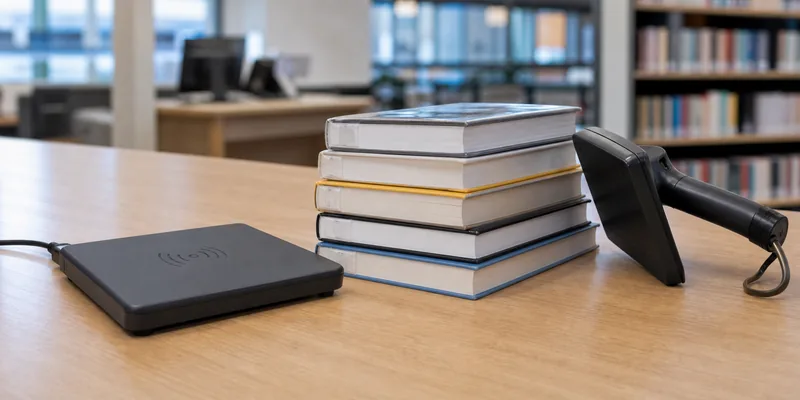
RFID library tags are not just small labels inside books. They must work with catalog records, self-checkout stations, security gates, return systems, handheld inventory readers, and the physical materials in a library collection.

For most book and archive projects, the practical choice starts with 13.56 MHz HF tags that support ISO/IEC 15693 or the chip family required by the library system. After that, buyers need to confirm label size, adhesive, memory, AFI/EAS security behavior, encoding format, placement, and sample performance on real books. A good supplier should help you test before production, not only quote a label size.

What Are RFID Library Tags?

RFID library tags are adhesive RFID labels used to identify and manage books, files, archives, discs, and other circulating materials. A reader can detect the tag without scanning a barcode line by line, which supports faster check-in, check-out, shelf reading, inventory, sorting, and security workflows.

WXR's Library RFID Tags page lists library-specific formats such as UHF inlay stickers and ICODE SLIX 13.56 MHz stickers for book management. For many library projects, the buyer's first question is not "Which tag is cheapest?" It is "Which tag will work with our existing library hardware and data model?"

RFID library labels placed inside books and media cases for tag placement testing.

Start With the Library Workflow

Before comparing RFID book tags, define the workflow. A public library replacing barcodes may need self-checkout, return-bin reading, anti-theft gates, and staff inventory. A university archive may care more about item identification, compact placement, and careful handling of rare materials. A school library may need a simple, durable label that works with a small desktop reader.

Use this checklist before you request a quote:

Decision Point What to Confirm Why It Matters
Library system Existing reader, security gate, self-checkout, and software requirements The tag must be compatible with the system already installed
Frequency and protocol HF ISO/IEC 15693, UHF, or another required format Frequency affects read behavior, gate design, and system compatibility
Chip ICODE, memory size, AFI/EAS support, lock features Chip choice affects encoding, security, and future changes
Label size Standard book label, narrow spine label, disc label, archive folder label Antenna size and placement affect reading
Adhesive and face material Paper, PET, anti-tamper, printable face, removable or permanent adhesive Different collections need different durability and removal behavior
Encoding Barcode number, item ID, library data model, AFI/EAS status Data must match the library database and circulation rules
QC and packing Serial ranges, readback file, batch labels, replacement samples Installation teams need traceability during conversion

Choose the Frequency and Protocol Carefully

Many library RFID systems use HF tags at 13.56 MHz because HF works well for book labels, shelf reading, and item-level library workflows. ISO/IEC 15693 is a common vicinity-card standard in this area, and chips in the ICODE family are often associated with library labels.

That does not mean every library should automatically buy the same chip. Check your reader, gate, and software documentation. Some systems require a specific chip family, memory layout, AFI setting, or EAS behavior. Others are more flexible but still need a tested data model.

If your project is still at the design stage, compare 13.56MHz RFID tags with other RFID formats before ordering labels. UHF may be useful in some archive or bulk-reading scenarios, but it is not a direct replacement for an HF library system unless the whole hardware and software workflow supports it.

Understand ICODE, AFI, EAS, and Memory Requirements

Library buyers often see terms such as ICODE SLIX, ISO 15693, AFI, EAS, DSFID, UID, and user memory. These are not decoration on a data sheet. They decide whether the tag can be encoded and used correctly in the circulation workflow.

NXP describes ICODE SLIX as a smart-label IC based on ISO/IEC 15693 and ISO/IEC 18000-3, with features such as anti-collision, EAS, AFI, DSFID, and user memory. For a buyer, the practical question is whether the selected library software can write and read the expected fields. Do not approve a tag only because the label says "ISO 15693."

Ask the supplier and system vendor:

  • Which chip model does the installed system support?
  • Is AFI used for application filtering or security behavior?
  • Does the project need EAS functionality at security gates?
  • What data is written to user memory, and what remains in the library database?
  • Should memory blocks, AFI, or EAS be locked after encoding?
  • Can the supplier provide a readback file for encoded batches?

WXR's I Code Slix page is a useful internal product reference when the project requires this chip family.

Match the Label to the Collection

An RFID tag that works in one book may fail in another if placement and materials are ignored. Large hardcover books, thin paperbacks, children's books, media cases, archive folders, and metalized covers behave differently.

For ordinary books, buyers usually want a thin adhesive label that can be placed inside the cover or another protected area. For CDs, DVDs, or unusual media, do not assume a standard book label is appropriate. For archive folders, confirm whether the label must survive handling, storage conditions, dust, or repeated movement between shelves.

Pay attention to:

  • Label dimensions and antenna size.
  • Face material and print surface.
  • Adhesive strength and aging behavior.
  • Whether the label should be hidden, visible, or printable.
  • Placement instructions for staff during conversion.
  • Whether barcode, QR code, or human-readable item numbers must be printed.

If the tag also needs custom printing or label conversion, WXR can compare RFID stickers and labels and RFID inlays before the final format is chosen.

Test Samples With Real Books and Readers

Sample testing is the part buyers skip when the deadline is tight. It is also where most expensive mistakes can be found early.

RFID library book tags being tested with desktop and handheld readers.

Test the same construction you plan to order, not just any library RFID tag. Use the final chip, label size, adhesive, encoding method, and placement. Then test with the actual desktop reader, self-checkout station, security gate, return equipment, and handheld reader whenever possible.

A practical sample test should include:

  1. Single-item reading on books with different thicknesses.
  2. Multiple-book reading in a small stack.
  3. Shelf-reading from normal staff angles.
  4. Security gate behavior if EAS is used.
  5. Check-in and check-out with real catalog records.
  6. Placement tests on paperbacks, hardcovers, media cases, and archive folders.
  7. Readback verification after encoding and optional locking.

Do not treat the highest observed read distance as the specification. Real performance depends on reader power, antenna design, tag orientation, book material, neighboring tags, and software settings. For a broader explanation of read variables, WXR's guide to RFID read range testing is a useful companion.

Control Encoding, Conversion, and Batch QC

In library projects, a physical tag and a catalog record must match. If the encoding file is wrong, the label may look perfect and still cause circulation errors.

Before production, define the item identifier, barcode relationship, data model, chip memory fields, AFI/EAS settings, serial range, and lock rules. Confirm whether encoding is done by the supplier, by the system integrator, or by library staff during conversion. If the supplier pre-encodes tags, request a readback file and clear packing labels.

RFID library tag sample batches prepared for encoding and quality control.

Useful QC requirements include:

  • One approved reference sample for each label type.
  • Random read checks from the finished batch.
  • Separated packing by branch, collection, chip, or serial range.
  • A rejected-tag handling plan.
  • Extra labels for field replacement.
  • Clear instructions for storage and installation staff.

For custom production, provide WXR with the chip requirement, label dimensions, artwork, encoding file structure, packing rules, and target hardware. If any field is uncertain, request samples first and confirm with the software or hardware vendor before mass production.

Common Mistakes When Buying RFID Library Tags

The most common mistake is buying "library RFID labels" without checking the installed system. Similar-looking labels may use different chips, memory, or security behavior.

Other mistakes include placing tags where readers cannot detect them reliably, ignoring media cases and archive materials, ordering printed labels before the data structure is approved, and treating EAS as a generic feature rather than a system-specific function. Another risk is mixing branches, item ranges, or collection types in unlabeled bags during conversion.

Good procurement is boring in the right way: define the system, test the sample, approve the data, then order the production batch.

How WXR Can Support Library RFID Tag Projects

WXR can help compare HF library labels, ICODE-based stickers, RFID inlays, printed labels, and custom packing options for book and archive projects. The right recommendation depends on your library system, reader hardware, item types, encoding rules, and installation plan.

If you are planning a conversion project, send WXR your reader model, software requirement, chip specification, label size, sample book types, print artwork, encoding file, quantity, and packing plan. You can contact WXR to request sample tags before a bulk order.

FAQ

What frequency is commonly used for RFID library tags?

Many library book-label projects use 13.56 MHz HF tags, often with ISO/IEC 15693-compatible chips. Always confirm the requirement with your reader, gate, and library software vendor.

Are ICODE SLIX tags suitable for library books?

ICODE SLIX and related ICODE chips are commonly associated with smart-label and library applications, but compatibility depends on the installed system, data model, AFI/EAS settings, and encoding process.

Can RFID library tags replace barcodes?

RFID can support faster check-in, check-out, inventory, and security workflows, but many libraries still keep printed barcodes or human-readable numbers for backup, migration, or manual handling.

Where should RFID tags be placed inside books?

Placement depends on label size, reader setup, book material, and library policy. Test placement on real paperbacks, hardcovers, media cases, and archive folders before setting conversion instructions.

Should library RFID tags be encoded before shipping?

Pre-encoding can save conversion time if the data file is correct and the supplier provides readback verification. If the data model is not final, test blank or sample-encoded tags first.

Quality Checklist for Sourcing RFID Epoxy Tags

RFID epoxy tags are small, glossy, and easy to underestimate. Problems usually appear after ordering: the chip is incompatible, the resin dome scratches, the hole does not fit the key ring, or the NFC scan fails on the final surface.

A sourcing checklist prevents those mistakes before production. Before a bulk order, verify the application, frequency, chip, material stack, print finish, epoxy quality, encoding, read performance, packing, and supplier QC process. Samples should be tested with your real reader, phone, surface, and workflow.

What Counts as an RFID Epoxy Tag?

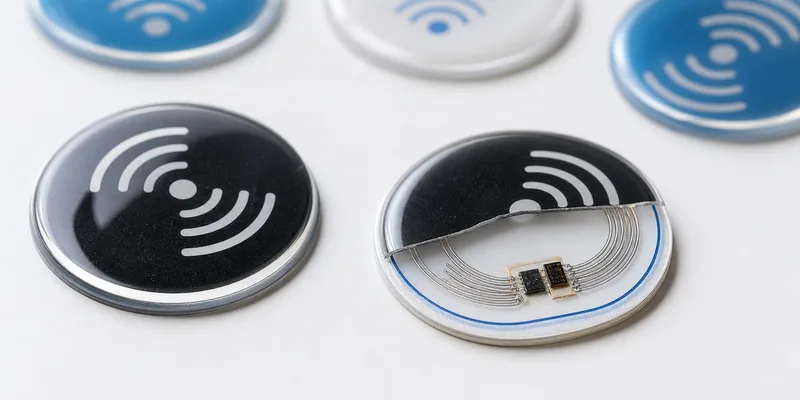
An RFID epoxy tag usually combines an RFID or NFC inlay, a printed PVC or PET face layer, and a clear domed epoxy resin surface. Common formats include logo stickers, luggage tags, pet tags, membership tokens, and RFID epoxy key fobs.

For phone interaction, buyers often choose NFC tags at 13.56 MHz. For door access, gym membership, hotel, or staff ID projects, RFID key fobs may be a better format. The right choice depends on the reader system, chip type, mounting method, and working environment.

Close-up of glossy RFID epoxy tags showing resin finish and tag construction

The Sourcing Checklist

Use this checklist before you confirm price, artwork, and production.

Checkpoint What to Confirm Why It Matters
Application Access control, NFC marketing, luggage ID, pet ID, membership, asset marking The use case decides frequency, chip, shape, and attachment method
Frequency LF, HF/NFC, or UHF A tag that looks correct may still be incompatible with your reader
Chip UID, memory, security, NDEF, rewritable or locked settings Encoding and software compatibility depend on chip choice
Material PVC/PET base, epoxy dome, adhesive, anti-metal layer if needed Material affects durability, scan behavior, and surface fit
Print Logo color, QR/serial readability, edge alignment, color tolerance Bad artwork control is visible immediately on small glossy tags
Epoxy finish Dome height, clarity, bubbles, scratches, overflow, edge sealing The resin finish affects both appearance and field durability
Encoding UID list, URL, NDEF record, serial number, password, lock plan Data mistakes are costly after tags are shipped
QC and packing Sample approval, batch test method, bag labels, carton labels Good packing helps installation teams avoid mix-ups

Confirm Frequency and Chip Before Artwork

Do not start with the tag shape only. Start with the reader and software. Smartphone projects usually need NFC compatibility. Existing access-control readers may need LF chips, MIFARE, NTAG, DESFire, or another credential type.

For NFC projects, memory size and lock settings matter. A short URL may fit a simple chip, while longer records or future rewrite plans may need more memory. If long read distance is requested, be careful: small epoxy tags do not behave like large UHF labels. WXR can help compare 13.56MHz RFID tags with other options when the reader system is not yet fixed.

Inspect the Epoxy, Print, and Mechanical Details

The resin dome is the part customers touch and see. A good sample should have a clear surface, even dome height, clean edges, no trapped bubbles, no dust under the resin, and no sharp overflow. On small logo tags, approve the printed color under normal indoor light, not only from a digital mockup.

Mechanical details matter too. For keychain tags, confirm hole diameter, hole position, ring hardware, tag thickness, and reinforcement around the hole. For adhesive tags, ask which surfaces the adhesive is designed for: plastic, glass, painted metal, rough equipment, or packaging.

For wet or outdoor use, do not treat "waterproof" as a complete specification. Ask whether the resin face, tag edge, adhesive, and chip package are suitable for your environment. For moisture, cleaning, or outdoor handling, compare waterproof RFID tags and request samples.

Test Samples on the Real Surface

RFID performance changes with surface material, tag orientation, reader power, phone model, and the distance between the chip and reader antenna. A tag that scans on a desk may scan poorly on a metal cabinet, curved bottle, thick key ring, or wet surface.

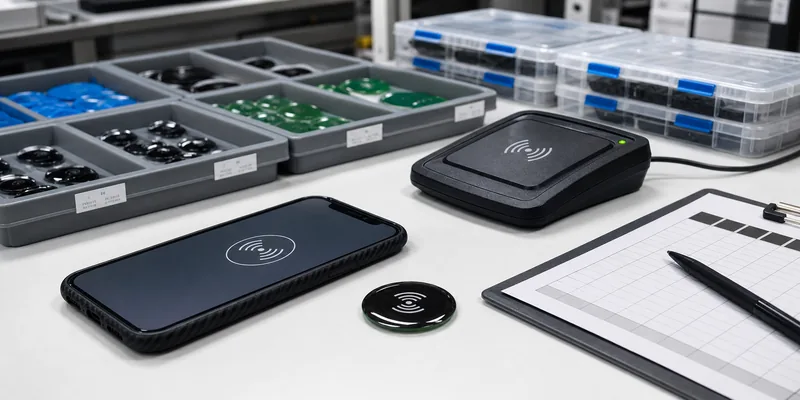
RFID epoxy tag sample testing with smartphone reader and inspection trays

Run a simple sample test before you place a large order:

  1. Test tags made with the same construction you plan to buy.
  2. Scan with the actual phone, door reader, desktop reader, or handheld reader.
  3. Test on the final surface, not only in free air.
  4. Check normal user angles and orientations.
  5. Confirm encoded data, UID sequence, URL destination, and one approved factory reference sample.

If the tag must work on metal, request an anti-metal construction. The extra ferrite or anti-metal layer changes thickness and cost, but it may be necessary for reliable scanning. Compare anti-metal RFID tags early.

Control Encoding, Numbering, and Data Files

Encoding errors are harder to see than scratches. Before production, define the data for each tag: UID only, NDEF URL, app link, access credential, serial number, QR code, barcode, or printed human-readable number. The print file and encoding file should follow the same sequence.

For bulk RFID epoxy tags, ask how the supplier handles duplicates, failed writes, locked tags, and readback reports. When data is sensitive, confirm whether the supplier only needs encoded values or also needs passwords, keys, or system-side credentials. Do not share system secrets unless the process truly requires it.

Check Batch Consistency and Packing

Bulk orders fail when a good sample does not match the production batch. Before shipping, ask for finished-batch photos, random scan checks, and packing labels that match your installation plan. Tags for different branches, colors, or encoded ranges should not be mixed in one unmarked bag.

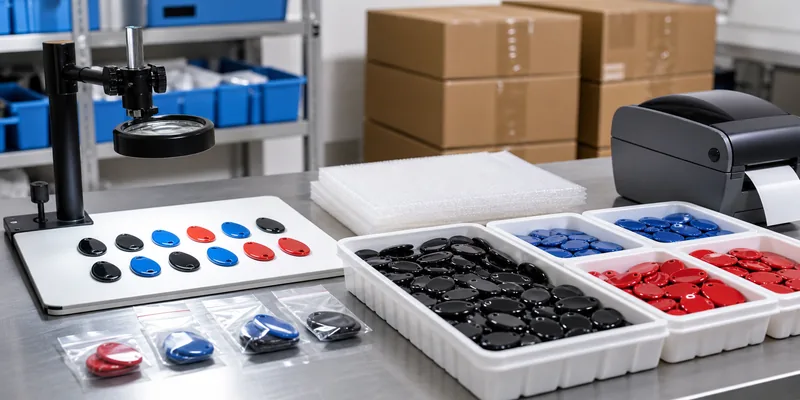
Bulk RFID epoxy tags prepared for quality control packing and shipment

Useful packing checks include quantity per bag, serial range per bag, color or shape separation, carton labels, spare samples, and the encoded data list. If installers must match physical tags to software records, packing is part of quality control.

Questions to Ask an RFID Epoxy Tag Supplier

Before you approve a supplier, ask:

  • Which frequency and chip fit my reader, phone, or access system?
  • Can samples match the final material, chip, artwork, and epoxy finish?
  • Can you print logo, QR code, UID, barcode, or serial number clearly at this size?
  • Can you pre-encode data and provide a readback file?
  • Do I need anti-metal material, stronger adhesive, or another structure for my surface?
  • How are colors, codes, branches, or serial ranges separated during packing?

These questions matter because RFID epoxy tags sit between electronics, print production, and physical installation. A supplier must understand all three.

How WXR Supports Custom RFID Epoxy Tag Projects

WXR helps buyers define the tag before production: application, frequency, chip, shape, size, printing, epoxy finish, adhesive or keychain hardware, encoding, sample testing, and packing. If you are still comparing formats, review the basics of what RFID tags are before finalizing the epoxy version.

Not sure which RFID epoxy tag fits your project? Send WXR your application, reader or phone requirement, tag size, artwork, target surface, waterproof or anti-metal needs, encoding file, quantity, and packing plan. You can contact WXR to request samples or a quote before mass production.

FAQ

Are RFID epoxy tags waterproof?

Many RFID epoxy tags have a resin surface that helps protect the print from daily moisture and handling. Full waterproof performance still depends on the tag body, edge sealing, adhesive, chip package, and installation environment.

Which chip is best for RFID epoxy tags?

There is no single best chip. NFC marketing tags often use NTAG or similar 13.56 MHz chips. Access-control tags may require LF, MIFARE, DESFire, or another compatible credential.

Can RFID epoxy tags work on metal?

Standard NFC or HF epoxy tags often perform poorly on metal. If the tag will be mounted on metal, request an anti-metal version and test it on the final surface.

Can RFID epoxy tags be printed and encoded before shipping?

Yes. They can usually be customized with logo printing, QR codes, serial numbers, UID printing, and data encoding. The supplier needs clean artwork and a clear data file.

How many samples should I test before a bulk order?

Test enough samples to cover the main colors, chip types, surfaces, readers, and data formats. For access, payment, or multi-site installation, test more thoroughly before mass production.

RFID Read Range: What Affects It and How to Test Tags Before Buying

RFID read range is not a fixed number printed on a tag. It is the distance at which a specific tag, reader, antenna, object surface, and environment work together reliably enough for the job. A UHF label that reads well on a carton may fail on a metal tool. An NFC tag that works perfectly with a phone may be the wrong choice for warehouse portals. Before buying custom RFID tags in bulk, treat read range as a test result, not only as a catalog claim.

This guide explains the main variables that affect RFID read range and gives buyers a practical sample-testing plan. If you are still comparing frequency options, start with WXR’s guide to LF, HF, and UHF frequency differences, then use the checklist below to prepare your project details.

RFID tags tested on metal cardboard and plastic surfaces

Quick Answer: What Controls RFID Read Range?

The biggest factors are frequency, tag antenna size, chip sensitivity, reader power, antenna type, mounting surface, tag orientation, surrounding metal or liquid, and how many tags must be read at the same time. Passive tags also need enough energy from the reader field to power the chip, so a longer read zone usually requires the whole system to be designed around that goal.

For buyers, the practical question is not “What is the maximum range?” A better question is: “Can this tag be read consistently at our required point in our real workflow?” That wording keeps the discussion grounded in cartons, tools, garments, books, vehicles, laundry bags, or other real assets instead of ideal lab conditions.

Frequency Sets the Starting Point

RFID frequency has a major influence on read distance and use case. LF tags are commonly used for close-range ID, animal tags, and access systems. HF and NFC tags are often chosen for cards, library labels, phones, and short-range user interactions. UHF RFID is usually selected when projects need longer read zones, faster inventory scanning, or portal/handheld reading across many items.

FrequencyTypical buyer goalRead range noteWhat to confirm
LFAccess ID, animal ID, close-range credentialsShort, controlled readsReader compatibility and chip type
HF / NFCCards, library, phone tap, smart packagingShort to moderate near-field readsISO standard, memory, phone or reader behavior
UHFWarehouse, apparel, asset tracking, portalsLonger read zones are possible but environment-sensitiveSurface, antenna, orientation, region, and software workflow

If the project requires long-distance inventory or asset tracking, review WXR’s UHF RFID tags and asset tracking RFID tags. If the project is phone interaction or short-range authentication, an NFC or HF format may be more suitable even if it does not read from far away.

Surface Material Can Change Everything

The same RFID tag can behave differently on cardboard, plastic, glass, metal, fabric, or liquid-filled packaging. Metal can detune a normal RFID antenna or reflect the signal in unexpected ways. Liquids and the human body can absorb RF energy, especially when the tag sits very close to water-rich materials. Curved surfaces can also bend the antenna and change performance.

This is why a buyer should tell the supplier the exact mounting surface before asking for samples. For metal tools, IT equipment, gas cylinders, racks, or machinery, compare normal labels with anti-metal RFID tags. For cartons, packages, documents, and general logistics, RFID stickers and labels may be a better balance of size, cost, printing, and encoding.

Tag Size, Antenna Design, and Chip Choice Matter

A larger antenna can often harvest and return more energy than a very small antenna, but size is not the only factor. The tag’s antenna design, chip sensitivity, tuning, material stack, and adhesive all affect performance. A tiny jewelry tag, a laundry button tag, and a large UHF label should not be expected to deliver the same read range, even if they use the same frequency family.

Chip selection matters too. Some projects need EPC memory only; others need TID verification, user memory, password locking, or NFC NDEF data. If read distance and memory are both important, discuss both requirements early. Do not choose a chip only because it is familiar; choose the tag format and chip together.

RFID sample testing kit for buyer validation

Reader, Antenna, and Software Settings Also Affect Results

Read range is a system result. A tag tested with a high-performance fixed reader and a properly aimed antenna may perform differently with a low-power handheld reader. Antenna polarization, reader power, reader sensitivity, cable loss, scan speed, and filtering rules can all change what the operator sees. In dense tag populations, software settings and anti-collision behavior also affect read reliability.

For this reason, the best sample test uses the reader and antenna that will be used in the real project. If that is not possible, record the test reader model, antenna type, power setting, distance, angle, and environment so results are not misread later.

A Practical RFID Read Range Testing Plan

Before mass production, prepare a small test plan instead of checking one tag once. The goal is to find a reliable operating window, not a one-time maximum distance.

  • Define the required read point. For example: handheld scan at shelf level, portal read at dock door, phone tap on packaging, or access credential at a reader.
  • Test on the real asset. Attach the sample to the actual material: metal, plastic, textile, glass, paper, wood, or liquid container.
  • Try several positions. Move the tag across corners, flat areas, curved areas, and hidden locations if the project needs embedded tagging.
  • Test orientation. Rotate the tag and asset because antenna alignment can change results.
  • Measure repeatability. Check whether the tag reads consistently across multiple passes, not only once at a best-case angle.
  • Simulate the real workflow. Add nearby items, stacked cartons, moving pallets, people, metal shelves, or other interference sources.
  • Record encoding and printing needs. Confirm EPC, UID, serial number, QR code, barcode, logo printing, and lock settings before production.
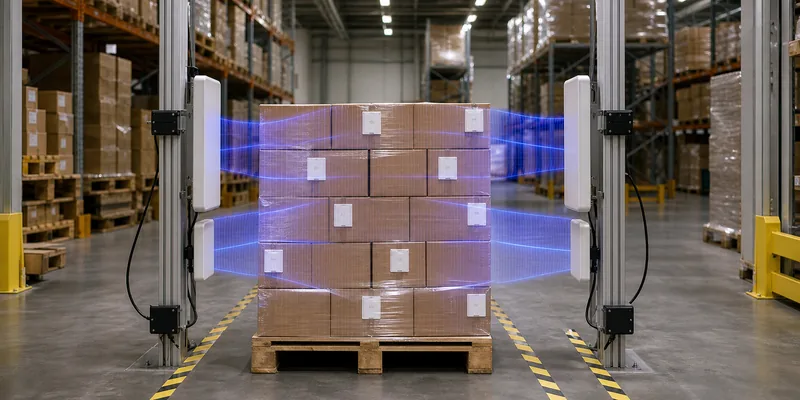
RFID warehouse portal read zone test with tagged cartons

Common Mistakes When Comparing RFID Read Distance

The first mistake is comparing tags without specifying the surface. A normal UHF label on a carton and an on-metal tag on a steel tool are solving different problems. The second mistake is chasing the longest possible read range when the workflow needs a controlled read zone. For access control, payment, or item confirmation, too much range can create accidental reads.

The third mistake is ignoring regional frequency and reader settings. UHF RFID regulations vary by market, so a tag and reader setup should match the deployment region. The fourth mistake is treating a sample result as permanent without checking production variables such as printing, adhesive, lamination, encoding, and final mounting method.

What Information Should You Send to an RFID Tag Supplier?

To get useful tag recommendations, share the application, target read distance, reader type, frequency preference, asset material, tag size limit, environment, attachment method, quantity, printing, encoding, and packaging requirements. Photos or drawings of the asset help the supplier avoid unsuitable tag formats early.

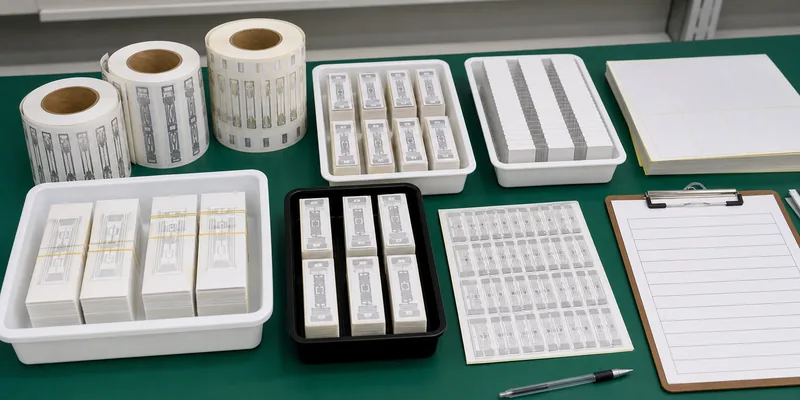
WXR can help compare custom RFID labels, inlays, anti-metal tags, cards, wristbands, laundry tags, and other tag formats based on your surface and workflow. If read range is critical, contact WXR with your test conditions and sample requirements before mass production.
FAQ

What is a good RFID read range?

A good read range is the distance that reliably supports your workflow. A phone-tap NFC project may need only close contact, while a UHF warehouse portal may need a larger read zone. The right answer depends on frequency, reader, antenna, tag, surface, and environment.

Why does my RFID tag read well in one place but poorly in another?

The mounting surface, nearby metal or liquid, tag angle, reader antenna position, and surrounding interference may have changed. Test the tag on the real item and in the real workflow before deciding it is suitable.

Do anti-metal RFID tags always read farther?

No. Anti-metal RFID tags are designed for metal surfaces, but the best choice still depends on tag size, reader setup, mounting position, and target read zone. They should be compared with samples on the actual asset.

Can WXR customize RFID tags for a target read distance?

WXR can recommend tag formats, chips, materials, printing, encoding, and sample options based on your application. Exact performance should be verified with samples in your reader environment before rollout.

Schema Recommendation

Recommended schema: Article and FAQPage. The FAQPage schema should match only the visible FAQ questions and answers above.

Facts and Assumptions to Verify

  • Exact read range must be verified with the buyer’s reader, antenna, asset surface, and environment.
  • Regional UHF frequency rules and reader power settings should be confirmed for the deployment market.
  • Chip availability, material stack, encoding, printing, and locking requirements should be confirmed before production.

How to Choose UHF RFID Tags for Warehouse Asset Tracking

UHF RFID warehouse asset tracking labels on cartons, pallets, and reusable containers

Quick answer: the best UHF RFID tag for warehouse asset tracking is the one that reads reliably on your real asset, at your real read point, with your actual reader and software. For cartons and paper labels, a UHF RFID label or wet inlay may be enough. For reusable plastic totes, pallets, tools, cages, metal racks, or outdoor assets, buyers often need a more durable hard tag, long-range RFID tag, or anti-metal construction.

Do not choose the tag only by chip name or advertised read range. In warehouse projects, performance depends on the asset surface, tag orientation, reader antenna, read zone design, encoding plan, attachment method, and how the item moves through receiving, storage, picking, packing, and dispatch.

Start With the Warehouse Workflow, Not the Tag

Before comparing samples, define what the RFID system must identify. A warehouse may tag individual products, cartons, pallet loads, returnable containers, tools, IT assets, bins, trolleys, or metal equipment. Each object creates a different tag requirement.

If the reader is installed at a dock door, the tag may need to read while the pallet is moving. If staff use handheld readers, the tag can be placed where scanning is easier and more controlled. If assets are stacked, wrapped, wet, or close to metal, a standard label that works on a test table may fail in daily use.

For most bulk warehouse and logistics workflows, UHF RFID tags are the practical starting point because they support longer read zones and multiple-tag reading. HF or NFC tags still have a place when the process needs close-range, one-at-a-time confirmation.

Common UHF RFID Tag Options for Warehouse Assets

Tag option Best fit What to confirm before ordering
UHF RFID label or sticker Cartons, cases, packaging, paper labels, short-to-medium life assets Face material, adhesive, antenna size, printer compatibility, encoding format, roll direction
RFID wet inlay Label converting, custom printed labels, smart packaging, high-volume logistics labels Dry or wet construction, antenna design, chip model, label conversion process
Hard asset tag Reusable totes, pallets, bins, tools, equipment, rough handling Housing material, attachment method, cleaning exposure, impact and abrasion risk
Anti-metal RFID tag Metal racks, cages, tools, machinery, IT assets, metal containers Mounting surface, spacer or ferrite layer, orientation, adhesive or screw fixing
Long-range RFID tag Dock doors, yards, high shelves, reusable transport items Reader antenna layout, allowed read distance, region frequency, asset motion, missed-read tolerance
UHF RFID label, hard tag, and anti-metal tag formats compared for warehouse assets

Surface Material Changes the Tag Choice

Carton, plastic, wood, metal, glass, liquid-filled packaging, fabric, and rubber do not behave the same around UHF RFID. Paper cartons are usually the easiest surface for a UHF label. Plastic totes can work well, but curved areas, ribs, stacking contact, and cleaning can affect both reading and adhesion. Metal is the most common reason a normal UHF label disappoints, because the surface can detune the antenna.

If assets include metal shelving, tools, cages, or machinery, compare anti-metal RFID tags instead of trying to make a standard label work by trial and error. If assets will be handled outdoors or cleaned frequently, review waterproof RFID tag options as part of the sample set.

Do Not Separate Encoding From Tag Selection

A warehouse RFID tag is useful only when the code on the tag matches the business record in the system. For a closed-loop warehouse, the EPC may represent an internal asset ID, carton ID, bin ID, or pallet ID. For GS1-based supply chains, teams may need EPC schemes connected to identifiers such as trade items, logistics units, locations, returnable assets, or individual assets.

The practical buyer question is simple: who creates the numbering file, who encodes the tags, who verifies every tag, and how will duplicate IDs be prevented? If printed QR codes or serial numbers are used on the same label, the printed value and encoded EPC should be checked against one master file.

For background on tag memory, see WXR’s guides to EPC memory on an RFID tag and TID memory in RFID.

Warehouse Read Zones Decide Whether the Tag Works

A good tag can still fail in a poor read zone. Dock doors, conveyors, packing benches, handheld scan routes, forklift paths, and storage aisles all create different RF conditions. Reader power, antenna polarization, antenna height, cable loss, tag orientation, item speed, nearby metal, and tag density can all change results.

This is why fixed read points should be tested with real movement, not only static samples. A tag that reads when a box is held in front of the antenna may not read when the same box is wrapped on a pallet, surrounded by other cartons, or passing quickly through a doorway.

Buyer Checklist Before Requesting Samples

  • Asset type: carton, pallet, bin, tote, cage, tool, rack, equipment, or reusable transport item.
  • Surface: cardboard, plastic, wood, metal, painted metal, glass, textile, rubber, or mixed materials.
  • Environment: indoor, outdoor, wet, cold storage, dusty, washable, chemical exposure, or rough handling.
  • Read method: handheld reader, fixed dock door, conveyor, gate, shelf antenna, or packing station.
  • Data plan: EPC format, printed serial number, QR code, barcode, TID capture, lock requirement, and duplicate-control process.
  • Attachment: adhesive label, cable tie, rivet, screw, embedded tag, hang tag, or protective holder.
  • Production format: rolls, sheets, individual tags, pre-printed labels, pre-encoded tags, or blank tags for in-house encoding.
Warehouse RFID sample testing workflow with tagged cartons and handheld UHF reader

Sample Testing Plan for Warehouse RFID Tags

Ask for a small set of tag formats rather than one sample. For example, compare a standard UHF label, a larger antenna label, a hard tag, and an anti-metal tag if your assets include mixed materials. Apply each sample to the real asset surface and place it where staff or equipment can actually support it.

Then test the complete workflow: receiving, put-away, picking, packing, dispatch, return, cleaning, and exception handling. Record missed reads, duplicate reads, unreadable orientations, adhesive failure, damage, and any locations where operators naturally cover or bend the tag.

For high-volume projects, also test printing and encoding. Confirm that the RFID printer or encoder can write the selected chip, that the label feeds correctly, and that the exported data file matches the warehouse software import format.

How WXR Supports Warehouse Asset Tracking Projects

WXR can help project buyers compare asset tracking RFID tags, RFID stickers and labels, RFID inlays, anti-metal tags, and custom UHF tag formats based on the asset surface and read zone.

For a useful recommendation, send WXR your asset photos, dimensions, surface material, target read points, reader type, encoding format, printing requirement, quantity, and testing environment. That information is more valuable than asking for a generic long-range RFID tag without the warehouse context.

FAQ

Are UHF RFID tags best for warehouse asset tracking?

Often yes, especially when the project needs longer read zones or multiple-tag reading. The final choice still depends on the asset surface, reader setup, regional frequency requirements, and testing results.

Can a standard RFID label work on metal warehouse assets?

Usually not reliably. Metal can detune a standard UHF label. For metal racks, tools, cages, and equipment, test anti-metal RFID tags or on-metal label constructions.

Should RFID warehouse tags be pre-encoded?

Pre-encoding can reduce setup work when the numbering file is ready and the supplier can verify each tag. In-house encoding may be better when IDs are assigned during receiving or commissioning. The key is to prevent duplicate or mismatched IDs.

What affects UHF RFID read range in a warehouse?

Read range depends on tag antenna, chip, reader power, antenna placement, orientation, asset material, nearby metal or liquid, tag density, motion, and local radio rules. Always test samples in the real warehouse workflow.

Choosing UHF RFID tags for warehouse asset tracking is not a one-line specification. Start with the object, surface, read zone, encoding plan, and attachment method. Then compare samples under real warehouse conditions before mass production.

Need help choosing warehouse RFID tags? Contact WXR with your application details, asset photos, read points, encoding needs, and sample-testing plan so the team can recommend suitable tag formats.

What Is an RFID Inlay? Inlays, Tags, and Labels Explained

An RFID inlay is the core electronic part inside many RFID labels, stickers, cards, tickets, and tags. It usually contains a tiny RFID chip, also called an IC, and an antenna attached to a thin substrate such as PET.

The antenna receives radio waves from an RFID reader. The chip stores identification data and communicates back through the antenna. In passive RFID inlays, the chip has no battery; it is powered by the reader’s radio signal during the read event. In simple terms, the inlay is the “engine” of an RFID product, while the finished label or tag adds adhesive, printing, housing, or protection.

RFID Inlay vs RFID Label vs RFID Tag

These terms are often used loosely, but they are not identical.

TermWhat it meansTypical buyer question
RFID inlayChip and antenna on a carrier substrateWhich chip, antenna, and frequency do I need?
RFID labelInlay converted into a printable adhesive labelCan it be printed, encoded, and applied?
RFID tagFinished product such as a label, card, hard tag, wristband, or key fobWill it survive and read reliably?

If you are buying for label converting, smart packaging, retail inventory, or logistics, you may start by choosing an RFID inlay. If you need a ready-to-use product, ask for an RFID label, sticker, card, or another finished tag format.

What Are Dry and Wet RFID Inlays?

RFID inlays are commonly described as dry or wet.

A dry RFID inlay is the basic chip-and-antenna assembly on a substrate. It is usually used by converters or manufacturers who will laminate it into a finished product.

A wet RFID inlay adds adhesive and a release liner, making it easier to convert into RFID labels or stickers. In many label projects, the wet inlay is placed under a printable face material, then die-cut and encoded for the application.

Supplier wording can vary, so confirm the actual construction before ordering: substrate, adhesive, liner, face stock, printing, encoding, and final roll format.

How an RFID Inlay Works

An RFID system has a reader, reader antenna, RFID inlay or tag, and software. When the reader sends a radio signal, the inlay antenna receives it. The RFID chip powers up, processes the command, and sends back data such as an EPC, UID, serial number, or other encoded information.

Read performance depends on antenna design, frequency, reader power, tag orientation, nearby materials, liquid, metal, and package shape. Serious RFID projects should test samples on the actual products or assets before mass production.

Common RFID Inlay Frequencies

RFID inlays can be designed for different frequencies and standards.

HF and NFC inlays, usually 13.56 MHz, are common for phone interactions, smart packaging, access cards, library labels, authentication, and short-range ID.

UHF RFID inlays, commonly 860-960 MHz, are used for item-level inventory, apparel, logistics, asset tracking, and warehouse workflows. UHF can support longer read zones and bulk reading, but performance depends heavily on antenna design and the environment.

Some projects use LF RFID for close-range identity applications. If unsure, start with the reader system, regional frequency rules, and the object you need to identify.

Where RFID Inlays Are Used

RFID inlays are used wherever a thin, convertible RFID layer is needed: retail apparel labels, logistics labels, NFC smart packaging, library labels, tickets, membership credentials, and asset labels for tools, IT equipment, documents, or components.

For metal, liquid-filled packaging, curved items, or outdoor equipment, a standard inlay may not perform well. Consider anti-metal tags, spacers, special antenna designs, or a more protective finished tag.

How to Choose the Right RFID Inlay

Before choosing an RFID inlay, define the project clearly:

  1. Application: What item, package, asset, or product will be tagged?
  2. Frequency: Does your reader system require LF, HF/NFC, or UHF?
  3. Chip: Do you need EPC, UID, User memory, passwords, or a specific chip model?
  4. Size: How much space is available, and what read range is realistic?
  5. Surface: Will it be applied to paper, plastic, glass, textile, metal, liquid, or curved packaging?
  6. Format: Do you need dry inlays, wet inlays, printed labels, stickers, cards, or rolls?
  7. Data: Do you need logos, QR codes, serial numbers, EPC encoding, or locked data?
  8. Testing: Can you test samples with real readers, software, products, and environment?

This helps a supplier recommend an inlay instead of guessing from the keyword alone.

How WXR Can Help

WXR can support custom RFID inlay and label projects by matching chip, frequency, antenna size, material, printing, encoding, and delivery format to the application. A retail project may need UHF RFID labels on rolls, while smart packaging may need NFC inlays with phone-readable chips.

If you are comparing RFID formats, review TAG RFID’s pages for RFID inlays, RFID stickers, NFC tags, UHF RFID tags, and anti-metal RFID tags.

Not sure which RFID inlay fits your project? Send WXR your application, frequency, chip, material, size, read range target, printing, encoding, quantity, and testing environment. The team can recommend a format and sample plan.

Conclusion

An RFID inlay is the functional core of many RFID products: the chip, antenna, and substrate that make wireless identification possible. It is not the same as every finished RFID label or RFID tag, but it strongly influences final performance.

For a reliable project, do not choose an inlay only by price or size. Start with the frequency, chip, antenna design, application surface, conversion format, and test conditions. The right inlay should match both the reader system and the physical item it will identify.

FAQ

Is an RFID inlay the same as an RFID tag?

No. An RFID inlay is usually the internal chip-and-antenna layer. An RFID tag is the finished product, which may include adhesive, printing, protective material, plastic housing, card layers, or other construction.

What is the difference between a wet inlay and a dry inlay?

A dry inlay is the basic chip-and-antenna assembly on a substrate. A wet inlay usually includes adhesive and a release liner so it can be converted into an RFID label or sticker. Confirm the exact layer structure with your supplier.

How far can an RFID inlay be read?

Read range depends on frequency, chip, antenna, reader power, tag orientation, material surface, and environment. NFC is usually very short range, while UHF can support longer read zones when designed and tested correctly.

Can RFID inlays work on metal?

Standard inlays often perform poorly on metal because metal can detune the antenna. For metal assets, use an anti-metal RFID tag, on-metal label, spacer, or special antenna design and test samples before rollout.

Can RFID inlays be customized?

Yes. Depending on the supplier, RFID inlays and converted labels can be customized by chip, frequency, antenna size, material, adhesive, roll format, printing, serial number, QR code, barcode, and data encoding.

Can RFID Tags Be Rewritten? Read/Write, Locked & Reusable Tags

Yes, many RFID tags can be rewritten, but not all of them. Whether an RFID tag can be rewritten depends on the tag type, chip memory, frequency, reader software, and lock settings.

The short version is simple: read/write RFID tags can usually be rewritten, read-only RFID tags cannot, and locked RFID tags may require a password or may be impossible to change.

That answer matters because “RFID tag” can mean many products: UHF inventory labels, NFC stickers, hotel key cards, access control fobs, laundry tags, animal tags, and industrial hard tags. Some are designed to be updated. Others are designed to hold a fixed ID for the life of the tag.

What Does Rewriting an RFID Tag Mean?

Rewriting an RFID tag means changing data stored in the tag chip. This is different from reading the tag. Reading retrieves stored data wirelessly. Writing, also called encoding, sends a command that changes data in a writable memory area.

In many RFID systems, the tag does not store a full product record. It stores an ID, while software stores richer information such as product name, owner, location, batch number, or maintenance history. This is why rewriting the tag is not always necessary. Often, you can keep the tag ID unchanged and update the database instead.

Which RFID Tags Can Be Rewritten?

RFID tags generally fall into three practical groups.

Read-only RFID tags have data programmed by the manufacturer or supplier and are not meant to be changed. They are used when stable identity matters more than flexibility.

Write-once or locked tags can be encoded during production or commissioning, then locked to prevent duplicate IDs, accidental overwriting, or tampering.

Read/write RFID tags allow data to be changed in supported memory areas. These tags are used when the application needs reusable labels, changing asset states, service data, or custom information stored directly on the tag.

So the real question is not only “Can RFID tags be rewritten?” It is “Which memory bank do you want to rewrite, and has that memory been locked?”

RFID Memory Banks: EPC, TID, User, and Reserved

For UHF RFID tags using EPC Gen2 / RAIN RFID, memory is commonly discussed in four banks: Reserved, EPC, TID, and User memory.

EPC memory is the most commonly used writable area. It stores the Electronic Product Code or another item identifier. In retail, logistics, and asset tracking, EPC memory acts like a digital license plate. Many UHF RFID tags allow EPC memory to be written during encoding and sometimes rewritten later if it is not locked.

TID memory stands for Tag Identifier. It is usually programmed by the chip manufacturer and is generally not editable. TID can identify the chip model and sometimes include a unique serial number, so it is useful for chip verification and anti-counterfeiting checks.

User memory is optional. Some chips include it, while others do not. When available, it can store custom data such as a maintenance date, production batch, configuration flag, or service note. Use it carefully because extra data takes more time to read and write.

Reserved memory stores access and kill passwords. In some systems, an access password protects writing or locking behavior.

Can Locked RFID Tags Be Rewritten?

Sometimes, but not always. RFID memory can be unlocked, password-protected, locked, or permanently locked depending on the chip and how it was configured.

If memory is temporarily locked, authorized software may unlock it with the correct access password and write new data. If memory is permanently locked, often called permalocked, it cannot be rewritten. Permanent locking protects important identifiers after commissioning.

Before buying tags, ask whether EPC memory, User memory, or both can be locked, unlocked, or permanently locked. The answer varies by chip family and reader software.

How Many Times Can RFID Tags Be Rewritten?

Many modern writable RFID chips support thousands of write cycles. Some UHF RFID guidance describes typical write endurance in the range of 10,000 to 100,000 writes per memory location, depending on the chip.

In real projects, most tags are not rewritten constantly. A warehouse label may be encoded once. A reusable container tag may be updated occasionally. If your application needs frequent rewriting, confirm chip endurance in the datasheet and test before deployment.

NFC Tags and Rewriting

NFC tags are a type of HF RFID operating at 13.56 MHz, and many NFC tags can be rewritten. Common NFC stickers used for URLs, product information, or mobile interactions often allow their NDEF data to be updated.

However, NFC tags can also be locked. Some apps offer a “make read-only” function. Once permanently locked, the NFC tag may still be readable, but the stored content cannot be changed.

When Should You Use Rewritable RFID Tags?

Rewritable RFID tags are useful when the tag itself needs to carry changing data. Common examples include reusable transport items, returnable containers, work-in-process tracking, maintenance records, event credentials, hotel cards, and temporary asset assignments.

For simple inventory tracking, rewriting may not be needed. You can encode a stable EPC once and update everything else in software. This is usually more scalable than storing too much changing information on the tag.

Choose read/write RFID tags when your process benefits from changing tag data. Choose locked or read-only behavior when identity stability and tamper resistance matter more.

How to Choose the Right RFID Tag

Before choosing a rewritable RFID tag, define the exact job the memory must do:

  1. Which frequency do you need: LF, HF/NFC, or UHF?
  2. Which memory area must be writable: EPC, User memory, or both?
  3. Does the chip include enough User memory for your data?
  4. Should the tag be rewritten many times, or only encoded once?
  5. Will the memory need password protection or locking?
  6. Is permanent locking required after encoding?
  7. Can your reader and software write, verify, lock, and unlock the tag correctly?
  8. Should the data live on the tag, or is it better stored in a database?

These questions prevent a common mistake: buying tags based only on shape, read range, or price. Memory behavior can be just as important as physical format.

Conclusion

RFID tags can be rewritten when they use writable memory and that memory has not been permanently locked. In UHF RFID, EPC memory and User memory are the main areas people write or rewrite. TID memory is generally factory-programmed and not editable.

For reusable assets, service workflows, NFC campaigns, and changing assignments, read/write RFID tags can be a strong choice. For product identity, access control, compliance, and anti-tampering, locking after encoding may be safer.

Choose the tag based on frequency, chip memory, lock behavior, reader compatibility, and software workflow. If rewriting is important, confirm it before ordering, then test writing, reading, locking, and verification under real operating conditions.

FAQ

Can all RFID tags be rewritten?

No. Some RFID tags are read-only, some can be written once and locked, and some are read/write tags that can be rewritten if memory is not permanently locked.

Can a locked RFID tag be rewritten?

It depends on the lock state. A password-protected tag may be unlocked by authorized software. A permanently locked tag usually cannot be rewritten.

Which part of a UHF RFID tag is rewritable?

EPC memory is commonly writable, and User memory is writable when the chip includes it. TID memory is generally programmed by the manufacturer and not editable.

Can NFC tags be rewritten?

Many NFC tags can be rewritten, especially before they are locked. If an NFC tag is permanently locked or made read-only, its content usually cannot be changed.

Should RFID data be stored on the tag or in software?

For most systems, store a stable ID on the tag and keep detailed business data in software. Use tag memory for extra data only when the workflow truly needs it.

Need rewritable RFID tags, NFC tags, or UHF labels with specific EPC, User memory, or locking requirements? Contact WXR to choose the right chip, tag format, and encoding workflow for your application.

How RFID Tags Help adidas Create Efficient Supply Chains

In the modern world, it’s essential for businesses to have efficient supply chains. Fortunately, with the help of technology, companies like adidas have been able to take their operations to the next level. One such technology is the Radio Frequency Identification (RFID) tag. So, what are RFID tags and how do they help make adidas’ supply chain more efficient? Let’s break it down.

What is an RFID Tag?

An RFID tag is a small electronic device that can be attached to a product or item as a form of identification. It contains enough information about an object that if it were scanned by a reader, then the object could be identified. This means that businesses can track products with ease and accuracy throughout their supply chain.

How Does Adidas Use RFID Tags in Their Supply Chain?

Adidas uses RFID tags in three main ways: tracking shipments, improving inventory management, and reducing returns and counterfeiting. With these tags on its products, adidas can accurately track shipments from start to finish and ensure that orders are delivered on time and in full.

Additionally, this data can be used to improve inventory management by providing insights into demand patterns and future trends which allows them to better meet customer needs without overstocking or understocking their shelves. Finally, by utilizing RFID tags for authentication purposes, adidas can reduce returns due to counterfeiting as well as identify any issues regarding authenticity before shipping items out to customers.

In conclusion, radio frequency identification (RFID) tags help businesses create efficient supply chains by allowing them to track shipments accurately while also improving inventory management and reducing returns due to counterfeiting.

Adidas has proven just how impactful this technology can be by using it in their own supply chain operations worldwide. With the help of RFID tags, companies like adidas can continue creating reliable and cost-effective solutions for customers around the world.

How RFID Tire Tags are Transforming the Automotive Industry

The automotive industry has seen a lot of technological advances in recent years, but one of the most promising technologies is Radio Frequency Identification (RFID) tire tags. This technology uses small RFID tags that attach to the outside of tires and can be used to track performance data and maintenance intervals. In this blog post, we’ll explore how RFID tire tags are transforming the automotive industry.

How RFID Tire Tags Work

RFID tire tags are tiny radio frequency chips that attach to the outside of a vehicle’s tires. They use radio frequency technology to transmit performance data such as mileage, pressure, and temperature.

This information is then sent wirelessly to an RFID reader that is connected to a computer or other device. This data can then be analyzed by system integrators, purchasing personnel and corporate executives to make better decisions about their vehicles’ maintenance and performance.

Benefits of Using RFID Tire Tags

The benefits of using RFID tire tags are numerous. First, they provide real-time information on the condition of a vehicle’s tires, which allows for more accurate assessment of when it needs servicing or replacement parts.

Also, since there is no manual data entry required with these devices, it eliminates potential human errors and reduces labor costs associated with manually keeping track of tire performance data. Finally, these devices can also reduce fuel costs since they help identify when tires are running low on air pressure or need alignment adjustments that could improve fuel efficiency.

Conclusion:

Overall, RFID tire tags offer a number of benefits to automotive companies who use them in their fleet management operations. They provide real-time information on the condition of their vehicles’ tires which helps them make better decisions about when they need servicing or replacement parts.

Additionally, they reduce labor costs associated with manual data entry and can even improve fuel efficiency by identifying when tires are running low on air pressure or need alignment adjustments. Ultimately, these devices have the potential to revolutionize how automotive companies manage their fleets and optimize their operational efficiency in new ways never before imagined!

Ask For A Quick Quote

Your inquiry will be replied within 24 hours! Please pay attention to the email with the suffix “@tag-rfid.com”. If not received, please check your spam email.