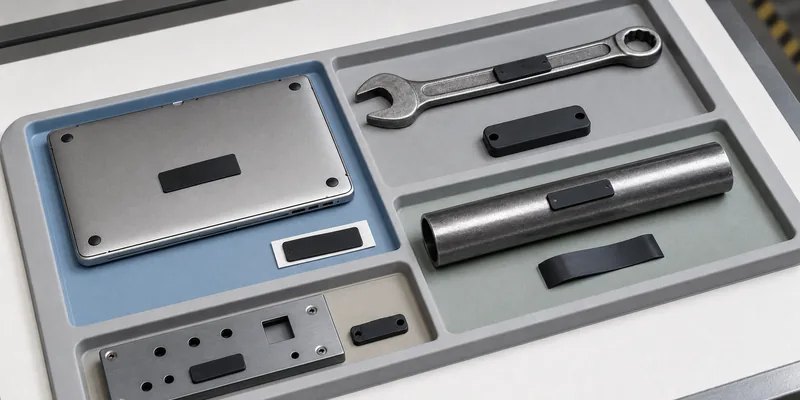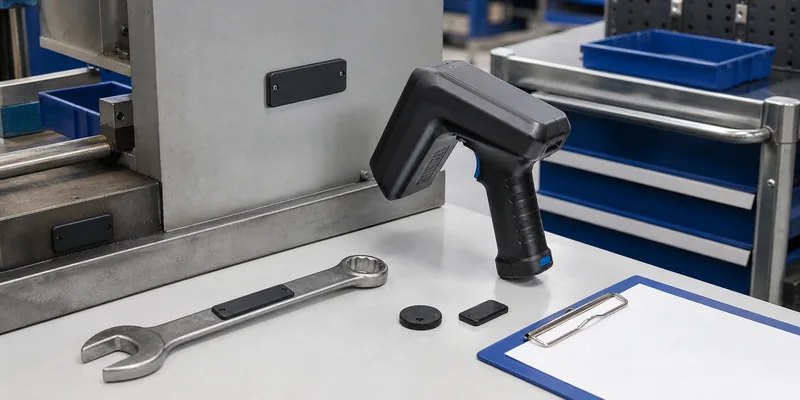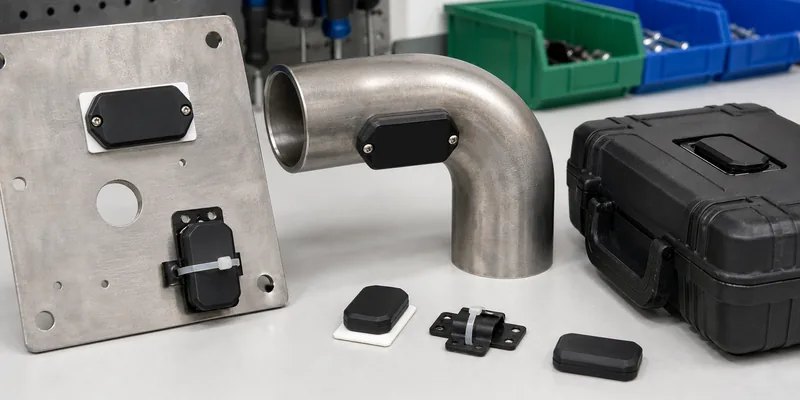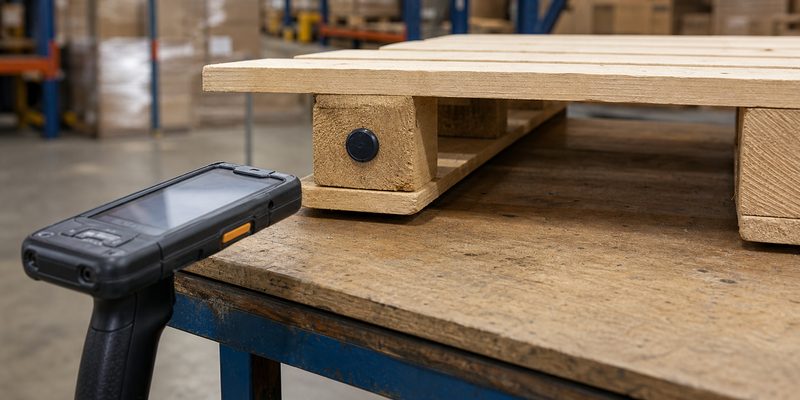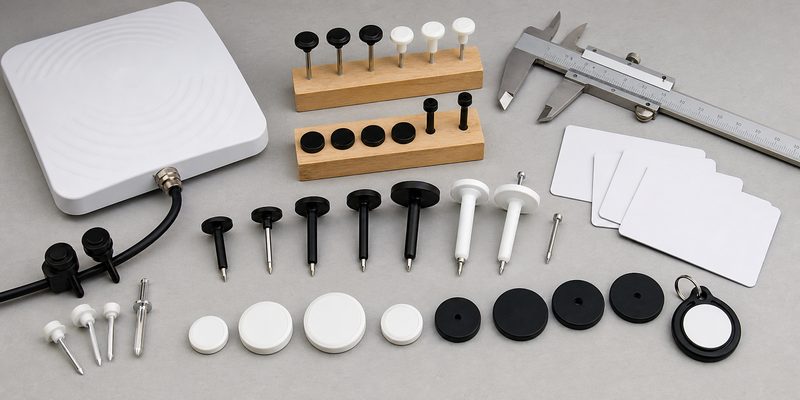
UHF RFID tags

Take a break and read all about it

RFID Sticker Materials and Adhesive Labels: Buyer Checklist

Quick answer: the best RFID sticker is not chosen by size alone. Buyers should match the face material, inlay, adhesive, mounting surface, frequency, print method, and test environment before ordering. A paper UHF logistics label may work well on cartons, while plastic containers, glass, curved products, outdoor assets, or metal surfaces often need a different adhesive, antenna format, or anti-metal construction.

This checklist is for distributors, system integrators, warehouse teams, and brand owners comparing RFID stickers and labels for real projects. It focuses on quote preparation and sample testing, not generic RFID theory. If you are still comparing basic frequency options, read WXR’s guide to LF, HF, and UHF RFID before locking the label structure.

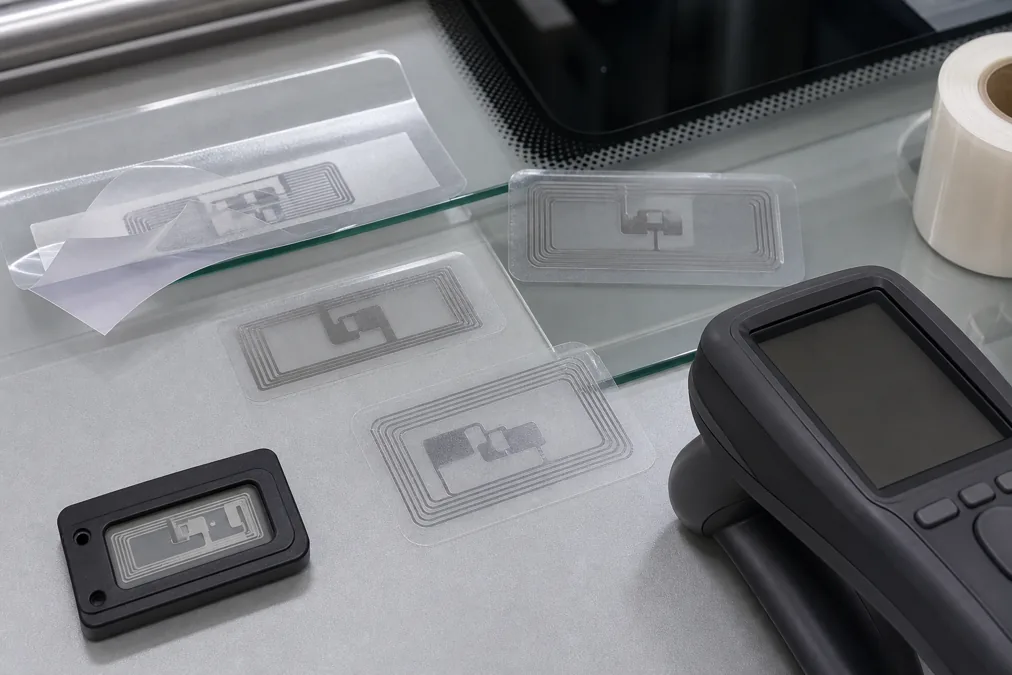
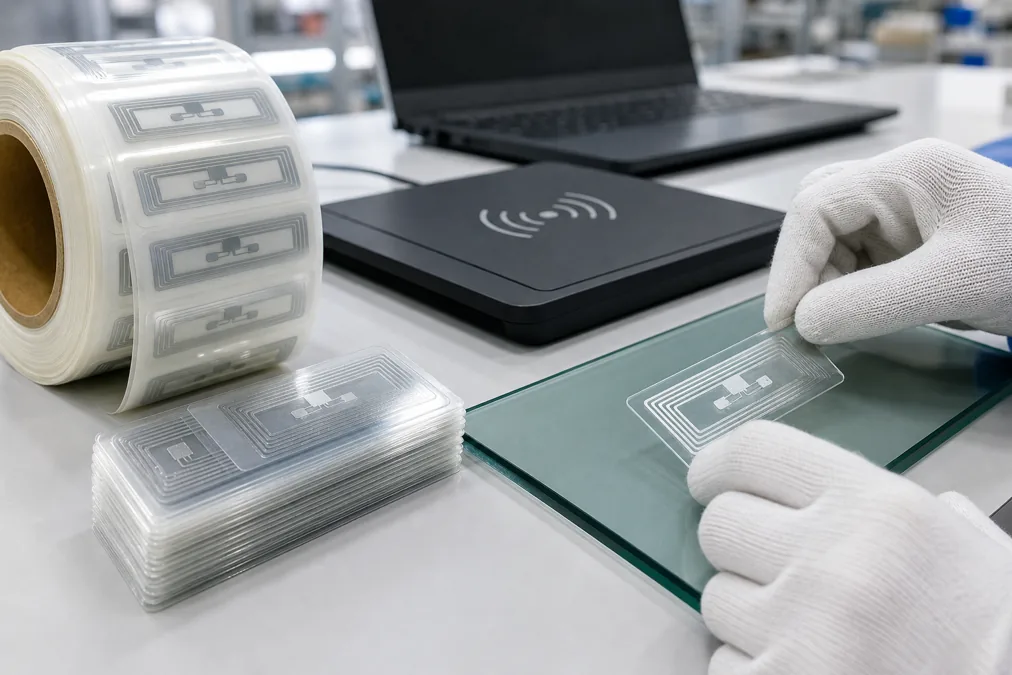
Layered RFID adhesive label showing face material inlay adhesive and liner

What Is Inside an RFID Sticker?

An RFID sticker usually combines a printable face layer, an RFID inlay, adhesive, and a release liner. The inlay contains the chip and antenna. The face layer handles printing and surface durability. The adhesive decides whether the label stays attached during packing, shipping, cleaning, handling, or storage. These parts have to work together, because a strong chip cannot compensate for the wrong antenna position or an adhesive that lifts from the asset.

For many packaging and inventory projects, the starting point is a wet inlay or converted label from the RFID inlay family. For finished labels, WXR can help compare paper, PET, PVC, synthetic paper, printable NFC labels, UHF logistics labels, and special constructions such as flexible anti-metal labels. The right structure depends on the surface and reader setup more than on the product photo.

RFID Sticker Material Selection Table

Project conditionLabel direction to considerWhat to confirm before ordering
Cartons, paper packaging, shipping labelsPaper or synthetic UHF RFID labelPrinter type, label size, roll direction, read zone, EPC encoding
Plastic bins, reusable totes, curved bottlesPET, PVC, or flexible label with stronger adhesiveSurface energy, curve radius, cleaning method, edge lifting risk
Metal tools, racks, IT equipment, machineryFlexible anti-metal label or hard on-metal tagSpacer thickness, mounting method, read distance target, impact risk
Phone interaction, packaging authentication, marketingHF/NFC sticker, often NTAG or MIFARE basedPhone compatibility, memory size, NDEF content, lock or rewrite policy
Outdoor or humid storageWater-resistant face stock and adhesiveUV exposure, condensation, cleaning chemicals, temperature range to test

Start With the Surface, Not the Chip

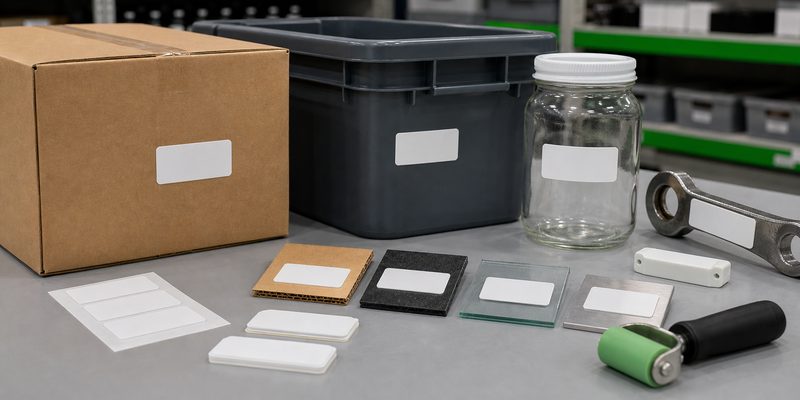
A common RFQ mistake is asking for a chip model first and discussing the asset later. The surface changes both adhesion and RF performance. Cardboard is forgiving. Low-energy plastics can reject ordinary adhesives. Curved glass can pull label edges upward. Liquids near the tag can detune some UHF labels. Metal can block or reflect RF energy unless the label is designed for on-metal use. For metal assets, compare options under anti-metal RFID tags instead of applying a normal logistics label and hoping the reader power solves it.

Prepare surface samples before you request pricing. Include the real carton coating, tote plastic, bottle curve, metal finish, paint layer, or asset housing. If the item will be cleaned, frozen, handled with gloves, stacked, or exposed to sunlight, say that early. The supplier can then recommend a face material and adhesive that matches the job instead of quoting the cheapest standard roll.

RFID sticker labels tested on cardboard plastic glass and metal samples

Choose Frequency Around the Workflow

HF and NFC labels are usually selected for close-range interaction, access, product information, and smartphone reading. UHF labels are usually selected for logistics, apparel, warehouse inventory, and longer-range scanning. If the project needs bulk reading at a dock door or conveyor, look at 860-960MHz UHF RFID tags. If the label is meant to open a URL on a phone or support customer interaction, review NFC tags and confirm the memory and lock requirements.

Do not treat read range as a fixed catalog value. It depends on the reader, antenna, tag orientation, surface, nearby material, radio regulations, and software filtering. For many projects, the practical target is not maximum range; it is stable reads at the real choke point without duplicate or missed events.

Placement and Application Checklist

  • Clean the surface and let it dry before applying samples.
  • Keep the label away from heavy folds, box seams, sharp curves, and crush zones.
  • For UHF labels, test orientation against the reader antenna instead of assuming any angle works.
  • Avoid placing ordinary labels directly on metal, liquid-filled areas, or dense foil packaging unless the label is designed for that surface.
  • Record the exact placement location so operators can repeat it during rollout.
  • After application, check edge lift, wrinkle formation, and label damage after normal handling.

For printed labels, confirm whether the artwork leaves enough space around the chip bump and antenna area. Heavy ink coverage, cutting pressure, lamination heat, or aggressive bending can damage the inlay. If the label will be printed and encoded in the same workflow, confirm printer compatibility, roll core size, winding direction, pitch, and rejected-label handling.

How to Test RFID Sticker Samples Before Bulk Orders

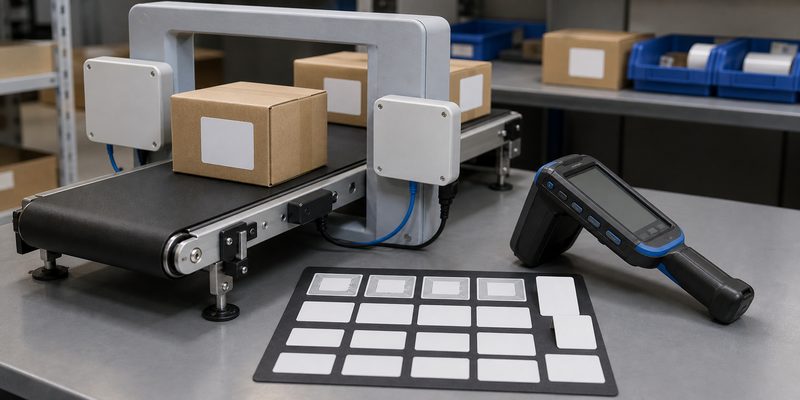
RFID label sample testing at a reader gate with cartons and handheld reader

Sample testing should include both physical adhesion and read performance. Apply labels to real items, wait long enough for the adhesive to settle, and then test the same movement that operators will use: handheld scan, shelf scan, tunnel reader, conveyor gate, doorway, or phone tap. For UHF projects, test several orientations and multiple items together. For NFC projects, test common iPhone and Android positions, not only a desktop NFC reader.

Track failures by cause. Did the label peel off, wrinkle, detune near the surface, collide with other tags, or read only when the operator touches a perfect spot? Each failure points to a different fix. You may need a different antenna size, a stronger adhesive, a flexible anti-metal construction, a new placement location, or a reader antenna adjustment. That is why samples are more useful than a catalog read-range number.

What to Send WXR for a Faster Quote

For a practical quote, send the application, item material, label size, frequency or reader system, chip preference if known, print design, encoding data, operating environment, sample quantity, and the read point you want to test. Photos of the asset and the proposed label position are especially helpful. If you are unsure which RFID sticker material fits, contact WXR with the surface and workflow details, and the team can suggest label structures for sample testing before mass production.

FAQ

Are paper RFID stickers durable enough?

Paper RFID stickers can be a good fit for dry cartons, retail hang tags, and short-to-medium logistics workflows. They are not the first choice for heavy abrasion, frequent washing, outdoor exposure, or curved reusable assets unless the full label structure is designed and tested for that environment.

Can normal RFID stickers work on metal?

Usually not reliably. Metal can detune or block ordinary RFID labels, especially UHF labels. Use an anti-metal label or tag and test it on the real metal surface with the actual reader setup.

Which is better for packaging, NFC or UHF RFID stickers?

Use NFC when the user should tap the package with a phone at close range. Use UHF when the operation needs inventory, logistics, or bulk scanning. Some packaging projects use both, but the cost, space, and data plan should be justified.

What should be tested before ordering custom RFID labels?

Test adhesion, edge lift, printing, encoding, read range, orientation, item stacking, nearby materials, cleaning or handling conditions, and software event filtering. A small sample test can prevent expensive label failure after rollout.

Fact and assumption note: material durability, adhesive strength, read range, and compatibility depend on the exact label construction, reader, surface, and environment. Confirm these with samples before bulk production.

RFID Baggage Tags for Aviation: Label, Inlay, and Deployment Checklist

RFID baggage tags are used when an airport, airline, integrator, or baggage-handling team needs a better way to identify checked luggage through multiple handoff points. The tag is not only a printed label. It is a small RFID system decision: label stock, UHF inlay, chip memory, encoding workflow, printer compatibility, conveyor read points, and real-bag testing all have to work together.

The practical question for buyers is not “Does RFID work for baggage?” It is “Which baggage tag format can survive our handling process, read reliably in our lanes, and fit our software workflow without disrupting check-in?” This checklist explains what to specify before asking for samples or a quote.

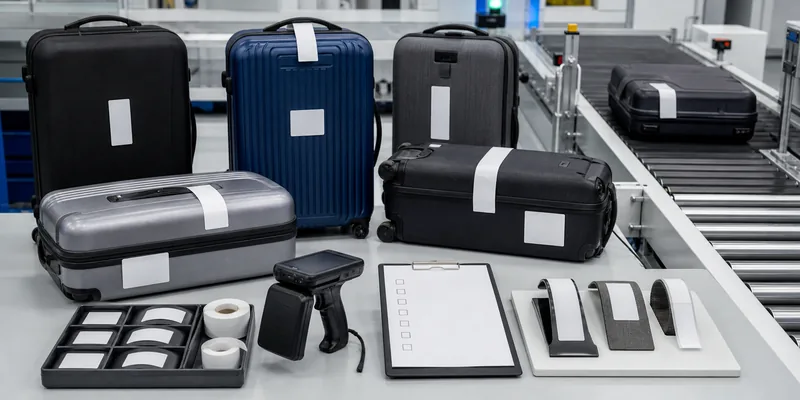
RFID baggage tag samples for aviation luggage tracking

What Is an RFID Baggage Tag?

An RFID baggage tag is usually a luggage label or reusable luggage credential with an embedded RFID inlay. Most aviation baggage applications use passive UHF RFID because UHF is suitable for conveyor read zones, portal reads, and automated handling points where the bag may not face the scanner perfectly. A barcode may still be printed on the label for visual backup, but RFID can add a radio-readable identity that does not require the same direct line of sight.

For buyers, the tag should be considered together with the baggage-handling system. A good label in a poor read-point layout will still create missed reads. A strong reader setup cannot fully compensate for a label that peels, folds across the antenna, or uses an inlay that is too small for the required orientation and read zone.

Where RFID Fits in an Aviation Baggage Workflow

RFID baggage identification is most useful at points where bags move quickly, change direction, or pass through automated routing. Typical read points include check-in induction, conveyor junctions, security screening handoffs, make-up areas, loading confirmation, transfer baggage, and arrival handling. The tag ID must connect to the baggage record in the airline, airport, or integrator’s software; the RFID tag alone does not create traceability unless the data workflow is defined.

This is why early specification should include both physical and data questions. What is printed? What is encoded? Which system writes the tag? Which reader confirms the bag? What happens when a tag is damaged, unreadable, duplicated, or attached in the wrong position?

Choose the Right RFID Baggage Tag Format

Start with the way the tag will be used. Temporary checked-bag labels, reusable luggage tags, transfer labels, and internal airport asset tags have different durability and cost requirements.

RFID baggage label formats with inlay and reusable luggage tag samples
Format Best fit What to confirm before ordering
Disposable RFID baggage label Check-in and transfer baggage where the tag is used for one trip Thermal print compatibility, adhesive strength, inlay placement, label fold path, and roll format
RFID wet inlay for converting Label converters or integrators producing custom baggage labels Antenna size, chip model, pitch, liner, adhesive, converting process, and encoding method
Reusable luggage RFID tag Closed-loop baggage, staff bags, VIP luggage, or equipment cases Material, attachment method, chip memory, environmental exposure, and replacement process
Hard or special-purpose RFID tag Equipment cases, airport containers, or baggage carts rather than passenger bags Mounting surface, metal/liquid exposure, impact, cleaning, and read distance target

WXR can support custom RFID stickers and labels, RFID inlays, and UHF RFID tags for projects where size, material, chip selection, printing, and encoding need to match a real process.

Key Specifications to Send Your RFID Supplier

A useful RFQ should be more specific than “RFID baggage tags.” Send the supplier enough context to avoid a generic sample that looks good on a desk but fails on a moving conveyor.

  • Application: passenger baggage, transfer baggage, internal airport assets, reusable bags, or equipment cases.
  • Frequency: usually UHF for conveyor and bulk-reading workflows; confirm regional frequency requirements and reader system compatibility.
  • Chip and memory: EPC length, User memory need, TID use, locking rules, and whether encoding happens before delivery or at check-in.
  • Label construction: paper, synthetic film, adhesive, liner, roll size, printer compatibility, and where the inlay sits inside the label.
  • Attachment and folding: how the label wraps around the bag handle and whether the fold line crosses the antenna.
  • Environment: abrasion, humidity, rain exposure, temperature changes, conveyor contact, and handling pressure.
  • Read points: handheld, portal, tunnel, conveyor antenna, chute, loading area, or mixed reader setup.
  • Data workflow: who writes the EPC, how duplicate IDs are prevented, and how exceptions are handled.

Read-Point Design Matters as Much as the Tag

RFID read performance depends on tag antenna design, reader power, antenna placement, bag orientation, nearby metal, liquid contents, and motion speed. Baggage is especially variable: soft bags, hard-shell cases, wrapped luggage, wet surfaces, and handles can all change the way a tag presents to the reader.

Airport baggage conveyor RFID read point with blank luggage tags

For that reason, do not select the smallest or cheapest inlay only from a datasheet. Test several inlay sizes and label positions in the actual read zone. If the reader is mounted under or beside a conveyor, test bags that are upright, flat, angled, and overlapping. If the project includes transfer bags or high-speed sortation, test at the expected conveyor speed rather than on a static table.

For longer read zones, compare long-range RFID tag options carefully, but keep expectations realistic. Longer range is useful only when the system can still identify the correct bag and avoid unwanted reads from nearby lanes or stacked luggage.

Sample Testing Checklist Before Bulk Production

Sample testing should reproduce the way baggage moves, bends, and gets handled. A simple desktop scan is not enough for aviation-style baggage workflows.

RFID baggage tag sample testing setup with suitcases and reader
  1. Print and encode sample labels using the intended printer, encoder, and data format.
  2. Attach labels to real luggage handles and surfaces, including hard-shell and soft bags.
  3. Test several fold positions so the antenna is not damaged or detuned by the label wrap.
  4. Run bags through the planned read points at expected speed and spacing.
  5. Record missed reads, duplicate reads, wrong-lane reads, and any damaged labels.
  6. Check whether the barcode or human-readable backup remains usable after handling.
  7. Confirm that the EPC or encoded ID maps correctly to the baggage record in software.
  8. Repeat with wet, worn, overpacked, and irregular luggage if those conditions are common.

Common Mistakes to Avoid

The first mistake is treating the RFID inlay as a commodity. Inlay size, antenna tuning, chip sensitivity, and placement inside the label all affect performance. The second mistake is ignoring label mechanics. If the adhesive, liner, or fold path does not match the baggage process, read performance can decline even when the chip is suitable.

The third mistake is using read range as the only selection metric. Aviation baggage projects need controlled reads, not just maximum reads. A tag that reads too far may create cross-reads if antenna power and shielding are not tuned correctly. The fourth mistake is forgetting exception handling. Operators need a defined process for damaged labels, unreadable tags, duplicate EPCs, fallback barcodes, and manual reconciliation.

How WXR Can Support RFID Baggage Tag Projects

WXR manufactures custom RFID and NFC products for distributors, system integrators, and project buyers. For baggage-related RFID projects, WXR can help compare UHF inlays, adhesive label formats, reusable tag materials, printing requirements, serial or EPC encoding, and sample-testing plans. The best starting point is to share the application, label size, reader setup, printer model, encoding rules, expected environment, and sample quantity.

If your project is still at the design stage, review WXR’s guides on what RFID tags are and RFID asset tracking. For project quoting, contact WXR with baggage photos, read-point details, and label-format requirements so the team can recommend samples before mass production.

FAQ

Are RFID baggage tags the same as normal barcode baggage labels?

No. A normal baggage label may rely mainly on printed barcode and human-readable information. An RFID baggage tag includes an embedded RFID inlay so the tag can be read by compatible RFID readers. Many projects still keep printed information as a backup.

Which RFID frequency is usually used for baggage tracking?

UHF RFID is commonly considered for conveyor, portal, and multi-point baggage reads because it supports longer read zones than LF or HF. The correct choice still depends on reader infrastructure, regional frequency rules, and the actual handling process.

Can RFID baggage tags guarantee that bags will never be lost?

No. RFID can improve identification and event capture, but it does not replace good software, process control, exception handling, and operational training. Avoid any supplier claim that promises perfect baggage handling from the tag alone.

Should the RFID tag be pre-encoded before delivery?

It depends on the workflow. Some projects use pre-encoded EPCs or serials for controlled batches. Others encode at check-in or during label printing. Confirm the data format, uniqueness rules, and verification step before production.

What should I test before ordering RFID baggage labels in bulk?

Test printer compatibility, encoding, label folding, adhesive, real luggage placement, conveyor speed, reader antenna layout, read accuracy, damaged-label handling, and software mapping. Use real baggage samples rather than only flat-label bench tests.

RFID Windshield Tags for Parking and Fleet Access

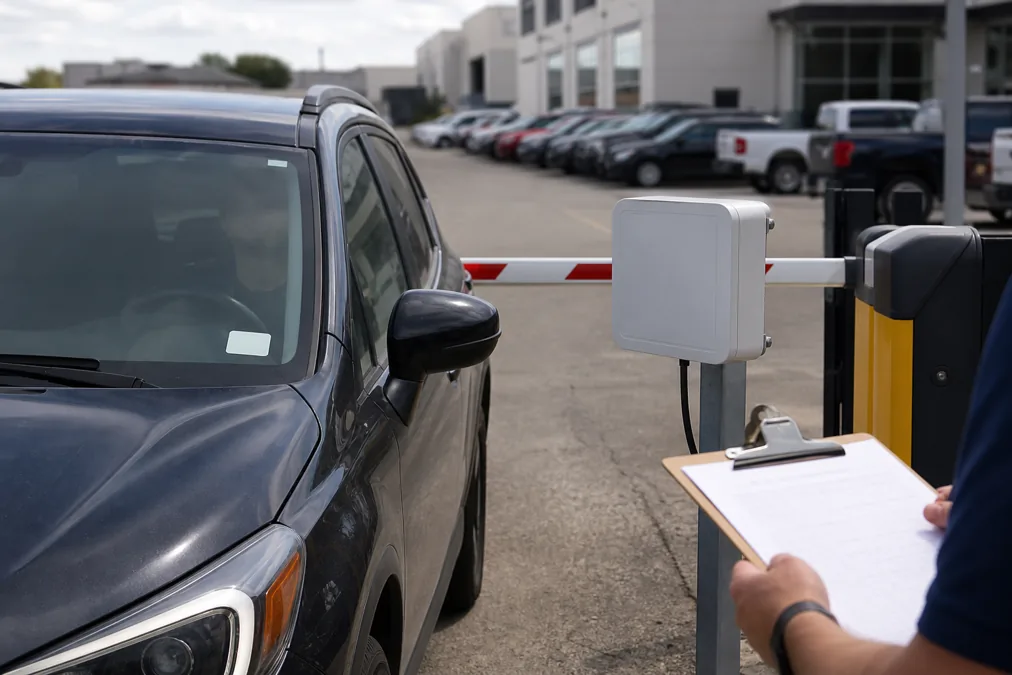
RFID windshield tags are usually a good fit when vehicles need to pass a parking gate, residential entrance, fleet yard, campus checkpoint, or secured facility without stopping for manual ID checks. For most long-range vehicle access projects, buyers evaluate UHF RFID windshield labels or vehicle tags because they can be read from a controlled lane when the reader, antenna, tag position, and vehicle speed are designed together.

A windshield tag is not just a sticker with a chip inside. It has to survive heat behind glass, stay attached to a curved surface, avoid interference from the vehicle body and windshield coating, and match the access-control software’s credential format. The right sample is the one that reads consistently on your actual vehicle lane, not the one with the longest advertised distance.

When RFID Windshield Tags Make Sense

Use RFID windshield tags when the project needs vehicle identification rather than person identification. Common examples include employee parking, gated communities, logistics yards, rental fleets, car dealerships, campus parking, warehouse entrances, and restricted service areas.

Compared with cards, key fobs, or QR passes, a windshield tag can reduce handling at the gate. The driver does not need to lower the window or present a card to a reader. Compared with license plate recognition, RFID can be useful when lighting, dirt, plate angle, or privacy requirements make camera-only identification difficult.

For projects that need a purpose-built vehicle credential, start with RFID vehicle tags and then confirm whether a windshield label, headlamp label, hanging tag, license-plate tag, or rigid outdoor tag is the better format.

UHF, HF, Or LF: Which Frequency Fits Vehicle Access?

Most parking and fleet lanes that need hands-free reading start with 860-960MHz UHF RFID tags. UHF is commonly used for longer read zones and multi-tag reading, but the result depends on the reader power, antenna position, tag orientation, windshield glass, lane width, vehicle speed, and local frequency rules.

HF or LF credentials can still make sense for close-range systems, hotel parking linked to room cards, membership cards, or existing access-control readers. The tradeoff is read distance. If the driver must stop and tap or present a credential, the system behaves more like normal access control than automatic vehicle identification.

If you are not sure which frequency to use, compare the vehicle workflow against WXR’s guide to LF, HF, and UHF frequency differences. Do not mix frequencies only because a tag looks convenient; reader compatibility comes first.

Windshield Tag Options To Compare

RFID windshield tag samples and vehicle access tag materials on a testing desk
Tag option Best fit What to confirm before ordering
Transparent UHF windshield label Parking lots, gated communities, fleet lanes, campus entrances Glass compatibility, adhesive, anti-transfer design, antenna size, lane read test
Printable RFID windshield sticker Projects needing logo, ID number, QR code, or visible permit design Printing method, serial matching, adhesive liner, heat exposure, encoding file
Headlamp or exterior vehicle label Vehicles with coated windshields or poor interior read results Outdoor durability, UV exposure, wash resistance, mounting area, tamper risk
Rigid vehicle tag Rougher environments, yards, trucks, trailers, reusable fleet assets Housing material, fixing method, weather exposure, reader angle, replacement process
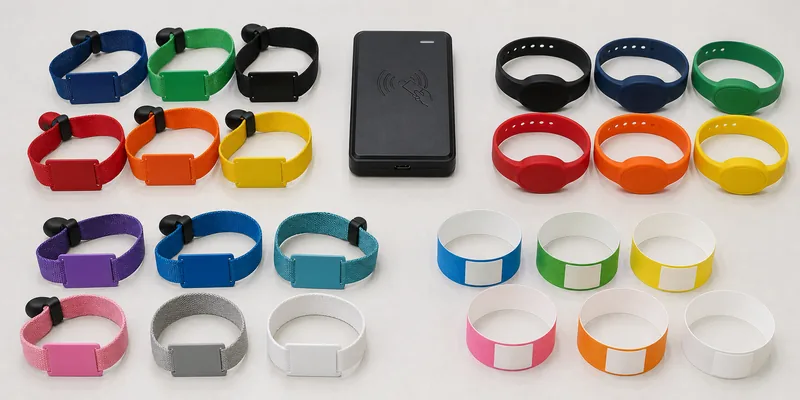
Card, fob, or wristband credential Low-speed entry where the driver can present an ID manually Existing reader frequency, user workflow, credential handoff, loss management

The Windshield Is Part Of The RFID System

Windshield glass is not neutral in every vehicle. Curvature, tinting, heating wires, embedded coatings, and mounting angle can affect read performance. Some vehicles also have designated RF-friendly areas near the rear-view mirror. If the windshield blocks or weakens the signal, an exterior tag or different placement may perform better than forcing the same label onto every vehicle.

During sample testing, apply tags where they will actually be installed. Do not test a loose label on a desk and assume the same result after it is stuck to glass. Also check driver visibility and local rules about windshield stickers before choosing size and position.

Encoding And Credential Control Matter

RFID windshield tags being encoded and checked before shipment

The access system needs a clean credential plan before tags are produced. Decide whether each tag will use an EPC, serial number, facility code, printed ID, QR code, or another value required by the software. The visible number and encoded value should come from one master file so operators can disable, replace, or audit a tag later.

For parking and fleet projects, many buyers ask WXR to support custom printing, serial numbering, QR or barcode printing, chip selection, and pre-encoding. If tags will be issued to residents, staff, contractors, visitors, or vehicles in different access groups, prepare that data structure before mass production.

Lane Testing Checklist Before Rollout

RFID parking gate test setup for windshield tag read performance
  • Test real vehicles, not only one sample windshield.
  • Place the reader antenna where it sees the tag before the vehicle reaches the barrier.
  • Check entry and exit lanes separately; they may need different antenna angles.
  • Test slow approach, normal approach, stop-and-go traffic, and tailgating scenarios.
  • Confirm that the reader does not open the gate for vehicles in the wrong lane.
  • Record missed reads, duplicate reads, and reads from parked vehicles nearby.
  • Test after heat exposure, cleaning, car washing, and repeated sun exposure when those conditions matter.
  • Confirm how lost, damaged, transferred, or expired tags will be disabled.

Common Procurement Mistakes

The most common mistake is buying by read range alone. A long-range tag can still fail if the antenna points at the wrong area, the windshield coating blocks the signal, or the software accepts duplicate credentials.

Another mistake is treating the tag as a generic label. Vehicle access tags often need stronger adhesive, temperature tolerance behind glass, a controlled visual design, and sometimes tamper-evident or anti-transfer construction. If a tag can be peeled off and moved to another vehicle without detection, the access policy may fail even when the RFID read performance is good.

Finally, do not leave replacement logic until after launch. Parking operators need a simple process for adding new vehicles, replacing damaged windshields, revoking former employees, and handling temporary visitor access.

How WXR Can Help With Custom RFID Windshield Tags

WXR can help buyers compare RFID windshield labels, RFID stickers, access-control RFID tags, long-range UHF vehicle tags, and custom printed vehicle credentials. For a useful recommendation, send vehicle photos, lane width, reader model, target read distance, mounting position, chip or encoding requirement, printing artwork, quantity, and sample-testing conditions.

If the project includes a parking platform or fleet access-control system, share the required credential format before ordering. WXR can then prepare sample tags for testing instead of guessing from a generic product name.

FAQ

Are RFID windshield tags the same as normal RFID stickers?

Not always. A windshield tag may need a specific antenna design, adhesive, heat resistance, visual layout, and tamper-control behavior for vehicle glass. A normal RFID sticker that works on a carton or document may not be the right choice for a parking lane.

How far can an RFID windshield tag be read?

Read distance depends on tag design, reader power, antenna placement, windshield material, vehicle speed, region frequency, and lane environment. Test samples in the real lane before setting a production specification.

Can RFID windshield tags work on tinted or coated glass?

Sometimes, but coated or metalized glass can reduce performance. Test the exact vehicle models. If the windshield blocks the signal, compare a headlamp label, exterior tag, or rigid vehicle tag.

Can the tag be printed with a logo, number, QR code, or barcode?

Yes, custom printing is common for parking permits and fleet credentials. Confirm the artwork, serial-number file, encoded value, and database import format before production.

What should I send before requesting a quote?

Send the application, vehicle type, mounting position, reader model, lane layout, required read distance, chip or protocol requirement, printing needs, encoding file, quantity, and test environment. That information helps WXR recommend the right sample set.

RFID for Manufacturing: How to Choose Tags for WIP, Tools, and Inventory

RFID for manufacturing works best when the tag specification is built around the exact object being tracked: work-in-process parts, returnable bins, tools, fixtures, pallets, or finished goods. For most production-floor inventory and WIP tracking, buyers compare UHF RFID labels, hard anti-metal tags, small rugged tags, and sometimes HF/NFC tags for close-range operator actions. The right choice depends on surface material, read point design, temperature, oil or cleaning exposure, encoding needs, and how the RFID data will enter the MES, ERP, or warehouse system.

Manufacturing RFID projects often fail at the tag-selection stage. A generic label is tested on a difficult surface, then every gate, handheld reader, and workstation is expected to behave the same. Start by defining the event to capture: a bin entering a process step, a tool returning to a cabinet, a fixture moving through inspection, a pallet leaving the line, or a component becoming finished inventory.

This guide turns the broad idea of RFID for manufacturing into a practical buyer checklist for selecting RFID tags before a factory rollout.

Where RFID Fits in a Manufacturing Workflow

RFID is useful when a factory needs faster identification without line-of-sight scanning. Unlike a barcode, an RFID tag can often be read through packaging, on a moving tote, or in a group of tagged items, depending on reader setup and tag orientation. That makes RFID attractive for WIP tracking, tool control, returnable transport items, inventory counts, maintenance assets, and dispatch verification.

It is not a replacement for every label. If an operator must confirm one item by hand at a bench, a barcode or NFC tag may be enough. If the goal is to read many bins at a dock door or track fixtures through multiple work cells, UHF RFID is usually the stronger candidate.

Choose the Tag by Asset Type, Not by Keyword Alone

A manufacturing floor can contain plastic bins, metal tools, painted fixtures, cardboard packaging, rubber parts, pallets, and finished products in the same workflow. One RFID tag format rarely fits all of them.

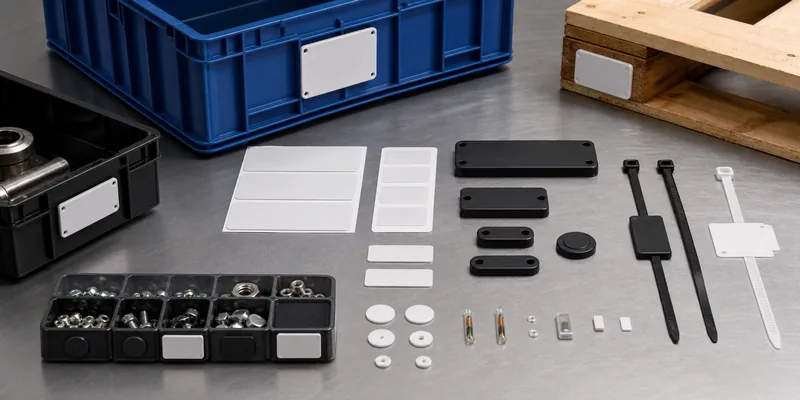
RFID tag options for manufacturing bins, tools, pallets, and small components

Manufacturing object Common RFID option What to confirm before ordering
Plastic bins and totes UHF RFID labels or durable stickers Read distance, label adhesive, curve radius, cleaning exposure, and encoding format
Metal tools and fixtures Anti-metal RFID tags or hard tags Mounting method, thickness, impact risk, reader distance, and tag orientation
Small components Small RFID tags, compact labels, or HF/NFC tags Available surface area, memory need, read zone size, and whether group reading is required
Pallets and returnable racks Long-range UHF tags or rugged hard tags Outdoor exposure, attachment, forklift read points, and regional UHF frequency range
Finished goods packaging UHF RFID labels or printed RFID stickers Packaging material, printer/encoder compatibility, EPC serialization, and customer data rules

For adhesive manufacturing labels, review WXR’s RFID stickers and labels. For antenna format and wet/dry inlay decisions, the RFID inlay category is a useful next step. If the item is metal, start with anti-metal RFID tags.

Frequency Selection: UHF, HF/NFC, or LF?

UHF RFID is commonly selected for manufacturing inventory because it supports longer read ranges and faster group reading than HF/NFC. It is the usual choice for dock doors, pallet movement, bins on conveyors, and finished goods inventory. For buyers comparing UHF options, WXR’s 860-960 MHz UHF RFID tags page is the most relevant product path.

HF/NFC can make sense when the operator intentionally taps or reads one item at close range, such as maintenance verification, operator instructions, sample identity, or phone-based inspection. LF is more specialized and is less common for general manufacturing inventory. For a broader technical comparison, use WXR’s guide to LF, HF, and UHF frequency differences.

Metal, Oil, Heat, and Mounting Surface Matter

Manufacturing environments are rarely as friendly as a clean office asset-tracking test. Metal can detune a normal RFID label. Oil can weaken adhesives. Curved surfaces can bend the antenna. Heat, vibration, abrasion, or wash-down cleaning can damage a tag that looked fine in a sample photo.

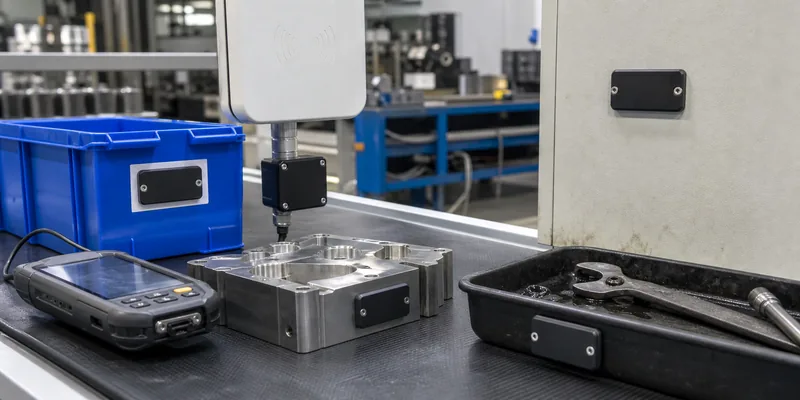
RFID manufacturing surface testing on metal fixtures, plastic totes, and tool trays

Before ordering bulk RFID tags, prepare a surface map. List object type, material, flat area, mounting direction, temperature, cleaning process, mechanical contact, and outdoor exposure. Ask the supplier to recommend samples against that map, not against the application name alone.

For tools, machines, fixtures, and IT or maintenance assets, also compare asset tracking RFID tags. If the project includes outdoor racks, wet processes, or washable containers, review waterproof RFID tags and verify the actual cleaning and exposure conditions before publishing a specification.

Define Encoding and Data Rules Early

In a manufacturing project, the physical tag is only half the decision. The other half is what the ID means to your software. A UHF tag may carry an EPC, and some projects also use TID or User memory depending on the workflow. Avoid leaving encoding rules until the day before mass production.

Clarify these items before the sample order:

  • Whether each tag needs a unique serialized EPC, a printed barcode, a QR code, or human-readable number.
  • Whether the RFID ID maps to a work order, fixture ID, tote ID, tool ID, batch, or finished item.
  • Whether data is encoded by the tag supplier, printed and encoded in-house, or written at first use.
  • Whether the system needs to read only EPC, verify TID, or use additional memory.
  • Whether failed reads, duplicate reads, and exception events have a clear handling rule.

If your team is still defining EPC, TID, and memory fields, WXR’s article on TID memory in RFID is a useful technical reference.

Build a Pilot Test Before Bulk Production

A useful RFID pilot does not only ask, “Can the reader see the tag?” It tests whether the tag can be read consistently at the real process point, with the real object, in the real orientation, while operators work normally.

RFID pilot read point for tagged parts moving through a manufacturing workflow

Sample Test Checklist

  • Test each tag on the real material: plastic, metal, cardboard, coated parts, racks, or tools.
  • Try the expected tag position and at least one fallback position.
  • Measure reads at the actual reader distance and antenna angle, not only at a desk.
  • Check single-item reads and multi-item reads separately.
  • Run the test after handling, cleaning, movement, or heat exposure when those conditions apply.
  • Record no-read zones, misreads, duplicate reads, and operator steps that create errors.

For read-distance planning, also review WXR’s guide to RFID read range and sample testing.

Questions to Send an RFID Tag Supplier

A strong RFQ should give the supplier enough detail to recommend the tag format without guessing. Include the application, object material, available tag area, target read distance, reader type if known, expected environment, print or encoding needs, quantity range, and sample-test plan.

For example, “RFID for manufacturing inventory” is too broad. A better request is: “We need UHF tags for reusable plastic bins moving through three read points in an assembly line. The flat label area is 60 x 25 mm, target read distance is 1.5 m, and each tag needs serialized EPC encoding plus a printed number.” That gives the supplier a real specification to work with.

WXR can help compare RFID labels, anti-metal tags, small RFID tags, and UHF inlays for manufacturing use. Send your object photos, surface details, reader setup, read-range target, printing design, and encoding rules through the WXR contact page so the team can suggest samples before mass production.

FAQ

What is the best RFID tag for manufacturing?

There is no single best tag. UHF RFID labels often fit bins, packaging, and pallets, while anti-metal tags are usually needed for metal tools, fixtures, and machine assets. The best choice depends on material, read distance, mounting method, and the event being tracked.

Can RFID tags work on metal tools?

Yes, but standard RFID labels usually perform poorly on metal. Use anti-metal RFID tags or a tested spacer/mounting method, then verify performance with the actual tool shape, reader distance, and storage layout.

Should a manufacturing project use UHF or NFC tags?

Use UHF when you need longer-range or multi-item reading, such as bins passing a read point or pallets moving through a dock. Use NFC or HF when the operator needs deliberate close-range interaction with one item.

What information should be encoded into manufacturing RFID tags?

Most projects need a unique ID that maps to the software record. Depending on the system, this may be an EPC, a tool ID, a tote ID, a work-order link, or another serialized identifier. Confirm the data rule before ordering encoded tags.

How should buyers test RFID samples before a factory rollout?

Test tags on the real item, at the real read point, with the expected mounting position and workflow speed. Record failed reads, orientation problems, surface issues, and operator handling problems before approving the final tag.

RFID Tags vs EAS Tags: Which Retail System Should You Choose?

RFID tags and EAS tags are often discussed together because both appear on retail merchandise. They solve different problems. EAS is mainly an exit-alarm technology for loss prevention. RFID identifies individual items, so it can support inventory counts, stock visibility, replenishment, checkout workflows, and, when integrated correctly, loss-prevention signals.

For a retailer, the choice is not simply “RFID or EAS.” A store that only needs a simple alarm at the door may continue using EAS. A retailer that wants item-level inventory accuracy, faster stock counts, omnichannel fulfillment, and serialized merchandise data should evaluate RFID. Many apparel and footwear projects use RFID for inventory and may still keep EAS or an RFID-based security workflow depending on store systems, tag format, and budget.

Quick Comparison: RFID Tags vs EAS Tags

Question RFID Tags EAS Tags
Main purpose Identify a specific item with a unique encoded ID Trigger or clear an alarm condition at store exits
Typical retail use Inventory counting, receiving, replenishment, item lookup, checkout support Shoplifting deterrence and exit detection
Data capability Can carry EPC or other item identifiers depending on chip and encoding Usually does not provide item-level identity
Best fit Retailers that need stock visibility across stores, stockrooms, and online fulfillment Stores that primarily need a low-complexity security gate signal
Procurement risk Reader, antenna, tag placement, encoding, software, and SKU data must be tested together Gate type, label type, deactivation/removal process, and store operations must match

What an EAS Tag Does Well

EAS, short for electronic article surveillance, is built around a simple store-security task: detect an active label or hard tag as merchandise passes through an exit zone. In practice, this can be useful. A fashion shop, pharmacy, bookstore, or electronics store may already have EAS gates, detachers, deactivators, and staff procedures in place.

The strength of EAS is operational simplicity. Staff know that the tag must be removed or deactivated at checkout. If an active tag reaches the exit, the gate can alert store staff. For retailers that only need that alarm function, EAS can be easier to understand than a full RFID data project.

The limitation is that an EAS alarm normally does not tell the retailer which item triggered the event, whether that item was already counted in inventory, or whether the stock record is wrong. EAS can help discourage theft, but it does not create item-level inventory intelligence by itself.

What RFID Adds for Retail Inventory

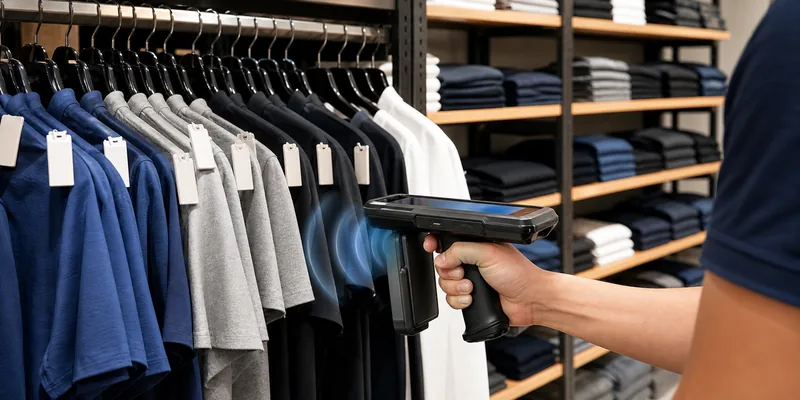
RFID tags are used when the retailer needs to identify items, not just protect exits. A UHF RFID apparel label, hang tag, or inlay can be encoded with an item identifier. Readers can then detect many tagged items without line-of-sight barcode scanning.

RFID retail inventory scanning with tagged apparel

That changes the workflow. Store staff can count racks, stockroom shelves, boxes, and return areas faster than manual barcode scanning. Distribution centers can verify cartons and outbound orders. Retail teams can investigate out-of-stock problems, misplaced items, and replenishment gaps with better item visibility.

For apparel, footwear, accessories, and other SKU-heavy categories, RFID is usually considered when inventory accuracy affects sales, online pickup, returns, or store labor. WXR’s RFID clothing tags, RFID inlays, and 860-960MHz UHF RFID tags are relevant formats to compare when the project is built around item-level retail inventory.

When Retailers Use Both RFID and EAS

Some retail teams do not replace EAS on day one. They use RFID for inventory visibility and keep EAS for the existing exit-security process. Others move toward RFID-enabled exit monitoring after they have the reader infrastructure, tag encoding, and point-of-sale integration to support it.

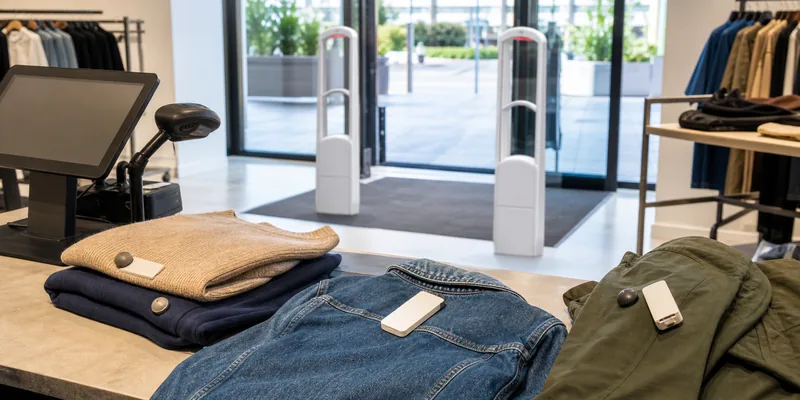
EAS security gate and RFID tagged retail products

This combined approach can make sense when loss prevention and stock accuracy are both important, but the organization cannot change every process at once. It also avoids a common mistake: assuming an RFID tag automatically solves theft detection just because it can be read at a distance. RFID security depends on reader placement, shielding, tag orientation, POS status, event rules, and how the store handles exceptions.

If a retailer already has EAS gates, the first question is whether the project objective is security only, inventory only, or both. That answer controls the tag format, system design, and testing plan.

How to Choose the Right Tag Format

For retail RFID, the physical tag is as important as the chip. Apparel hang tags, care labels, stickers, wet inlays, and source-tagged packaging all behave differently. Tag size, antenna design, placement, material, and how close items sit to each other will affect read performance.

Start with the merchandise type. A paper swing tag may work for apparel. A discreet adhesive label may fit boxed goods. A small tag may be needed for accessories. For metalized packaging or unusual surfaces, buyers should test carefully rather than assuming a standard inlay will work. If the product surface is difficult, review options such as anti-metal RFID tags or adjusted label placement.

Then define encoding. Many retail RFID projects use EPC-style item identifiers, but the actual data structure should come from the retailer, system integrator, or brand owner. Do not approve mass production until the encoding rule, barcode/SKU relationship, TID or UID handling, lock policy, and readback file format are clear.

A Practical Sample Test Before Rollout

The safest way to compare RFID tags vs EAS tags is not a spreadsheet alone. Test the process in the store or stockroom where the tags will be used.

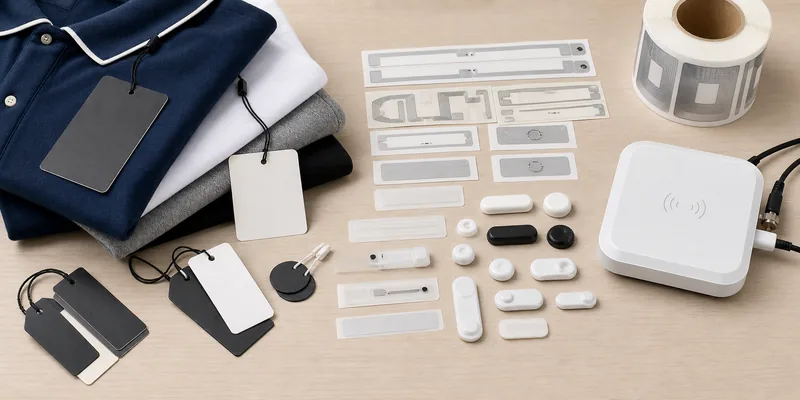
Retail RFID and EAS tag samples for procurement review

For RFID, test tagged samples on real merchandise, with real readers and normal staff movement. Include dense racks, folded stacks, cartons, metal fixtures, mirrors, checkout counters, and returns areas. Measure whether the team can read the items they need to read, not the maximum distance observed in an ideal room. For more detail on performance variables, WXR’s RFID read range testing guide is a useful companion.

For EAS, test the gate, tag removal or deactivation process, false-alarm handling, and staff workflow. If both systems are used, test what happens at checkout, return, exchange, and exit. A successful pilot should prove the workflow, not just the label.

Questions to Ask Before Ordering

  • Is the main goal inventory visibility, exit security, or both?
  • Which merchandise categories will be tagged first?
  • Will tags be applied by the supplier, warehouse, store staff, or brand owner?
  • What chip, memory, EPC format, or encoding rule is required?
  • Will the same tag support receiving, stock counts, checkout, and returns?
  • Does the tag need printing, barcode, QR code, logo, size control, or custom packing?
  • How will exceptions be handled when a tag fails, is removed, or is unreadable?
  • Which samples must be approved before mass production?

How WXR Can Support Retail RFID Tag Projects

WXR can help retail buyers and system integrators compare RFID inlays, apparel hang tags, RFID labels, UHF chips, printing, encoding, and packing options before bulk production. If your project is still comparing RFID and EAS, the useful next step is to define what data the store needs from each tagged item and where that data must be read.

Send WXR your merchandise type, tag size, application surface, reader setup, encoding requirement, artwork, quantity, and sample test environment. You can contact WXR to request retail RFID samples and check whether a standard or custom tag format fits your rollout.

FAQ

Are RFID tags the same as EAS tags?

No. EAS tags are mainly used for exit alarm detection. RFID tags identify individual items and can support inventory, receiving, replenishment, checkout, and security workflows when the system is designed for it.

Can RFID replace EAS in retail stores?

Sometimes, but not automatically. RFID can support security workflows only when readers, POS status, software rules, and exception handling are integrated. Many retailers evaluate RFID for inventory first and decide later how much EAS functionality to keep.

Which RFID frequency is common for apparel retail?

Many item-level apparel projects use UHF RFID because it can read multiple items efficiently in inventory workflows. The final choice still depends on reader setup, tag placement, product material, and software requirements.

Do RFID tags prevent theft by themselves?

No tag prevents theft by itself. RFID can provide item visibility and event data, while EAS can provide a simple exit alarm. Loss-prevention performance depends on the whole store process.

What should I test before buying retail RFID tags?

Test the final chip, tag size, antenna, placement, encoding, reader, software workflow, merchandise type, and staff process before mass production. Include difficult products and dense display conditions, not only easy samples.

Ask For A Quick Quote

Your inquiry will be replied within 24 hours! Please pay attention to the email with the suffix “@tag-rfid.com”. If not received, please check your spam email.