
RFID access control fails most often when the credential is treated as “just a card” instead of part of a complete door security system. The card, key fob, wristband, reader, controller, software, wiring, and user database all have to match.
The expensive mistakes are usually practical: ordering the wrong chip, relying on UID-only access, placing readers badly, skipping deactivation, or moving from samples to mass rollout without field testing.
Quick Answer: What Are the Biggest RFID Access Control Mistakes?
The biggest RFID access control mistakes are choosing credentials before confirming the reader system, using UID-only credentials for sensitive doors, ignoring the reader-to-controller connection, placing readers where the read field is unstable, and failing to manage lost cards or staff changes.
Prevention starts with a simple rule: define the access system first, then choose the RFID credential. Confirm frequency, chip, memory, security level, reader compatibility, printed numbering, encoding format, and test method before mass production.
Mistake 1: Choosing RFID Cards Before Checking Reader Compatibility
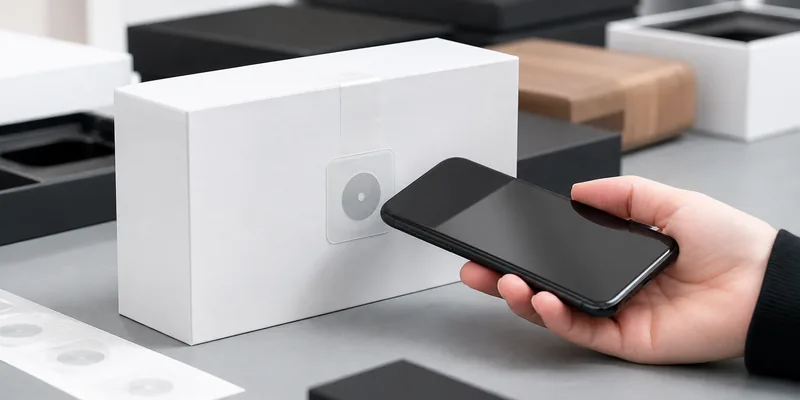
A good-looking card can still be the wrong card. Access systems may use LF 125 kHz, HF 13.56 MHz, NFC-compatible chips, MIFARE, DESFire, or proprietary credential formats. A reader built for one credential type will not automatically support another.
This mistake happens when buyers order cards based on appearance, price, or a previous project. The reader may require a specific chip, data format, sector configuration, facility code, or application structure.
Prevent it by collecting the reader brand and model, existing card sample, frequency, chip type, required encoding, printed number format, and software import rules. If you are not sure, start with sample testing before ordering a full batch of RFID cards or RFID key fobs.
Mistake 2: Treating the UID as a Secure Credential
Many access projects use the chip UID as the identifier. That can work for low-risk membership or attendance, but it should not be confused with strong authentication. If the system only checks “does this number exist in the database?”, security depends heavily on how hard that number is to copy, replay, or enroll incorrectly.
For offices, hotels, gyms, schools, factories, and restricted rooms, match the credential security level to the risk. Higher-security HF credentials such as MIFARE DESFire are commonly selected when the project needs mutual authentication and encrypted data handling. NXP describes MIFARE DESFire EV3 as a high-security contactless IC supporting AES-based security features.
Prevent UID-only risk by asking three questions: what data the reader checks, whether keys or authenticated applications are used, and how lost or duplicated credentials are blocked. Do not claim a credential is secure just because it is RFID.
Mistake 3: Keeping Legacy Habits During an Upgrade
Older LF access systems are still common because they are simple and widely supported. The mistake is planning a security upgrade while keeping every old credential, reader, and enrollment habit unchanged.
Legacy cards may be useful during migration, but they need a controlled plan. Decide which doors require higher-security credentials, which users need dual-technology cards, and when old cards will stop working. If your building uses both old and new readers, document reader locations, compatible chip types, credential formats, and replacement dates.
Mistake 4: Ignoring the Reader-to-Controller Connection
The card is only one part of the access path. After a reader recognizes a credential, the reader still has to communicate with the access controller. If that connection is poorly protected, the door system may remain exposed.
Many modern projects evaluate OSDP because it is designed for access control communication between readers and control panels. The Security Industry Association maintains the Open Supervised Device Protocol, and OSDP Secure Channel is commonly discussed for encrypted and authenticated reader communication.
Prevent this mistake by asking which reader protocol is used, whether the controller supports secure channel communication, how wiring is protected, and whether tamper events are monitored.
Mistake 5: Poor Reader Placement and Read Field Control
RFID access readers can fail because of the physical environment. Metal door frames, elevator panels, nearby electronics, glass, competing readers, wiring noise, or an awkward mounting angle can reduce reliability.
The symptoms look simple: users tap twice, doors open slowly, cards work in one holder but not another, or a reader works during testing but fails at rush hour. The root cause is often placement, not the credential.
Prevent it by testing readers on the real door, at the real height, with the actual card, key fob, wristband, phone case, or badge holder. For parking, gates, elevators, wet areas, or outdoor doors, confirm whether a different tag format or reader position is needed.
Mistake 6: Skipping Credential Numbering and Encoding Control
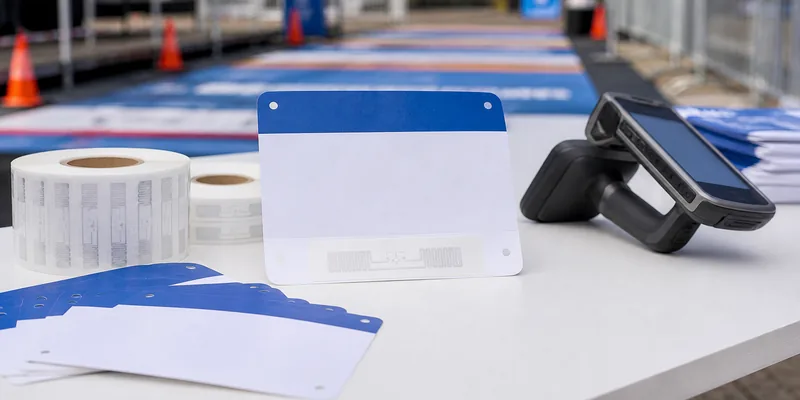
Custom access credentials often need visual printing, UID capture, serial numbers, QR codes, batch numbers, or pre-encoded values. If the printed number and encoded value are not mapped correctly, support teams will struggle to issue, replace, or deactivate cards.
Prevent it with one master file. Include printed serial number, chip UID if needed, encoded value, user assignment if known, batch number, and packing order. If WXR pre-encodes credentials, provide the required data format and ask for a final mapping file before deployment.
Mistake 7: Weak Lost Card and Staff Exit Procedures
An RFID access system is only as current as its user database. If lost cards remain active, temporary workers keep permissions, or shared cards circulate without tracking, the problem is administrative rather than technical.
Prevent it by defining who can issue credentials, who approves access levels, how lost credentials are disabled, how contractors expire, and how staff exit is linked to access removal. NIST SP 800-116 focuses on PIV credentials in physical access control systems, but the broader lesson applies to any serious access project: credential policy and system configuration matter as much as the physical token.
Mistake 8: Skipping Pilot Testing Before Mass Production
RFID samples are not a formality. They are the cheapest way to catch the wrong chip, wrong read distance, wrong printing sequence, wrong encoding format, or wrong holder material.
Before mass production, test the credential with every important access point: main doors, elevators, turnstiles, lockers, parking gates, hotel locks, gym gates, or staff-only rooms. Also test replacement cards, lost-card deactivation, guest cards, and emergency procedures.
RFID Access Control Mistake Prevention Checklist
| Area to check | What to confirm before ordering |
|---|---|
| System compatibility | Reader model, frequency, chip, credential format, software rules |
| Security level | UID-only, keyed access, encrypted credential, DESFire or other secure option |
| Reader communication | Reader protocol, wiring protection, tamper monitoring, OSDP support |
| Physical installation | Mounting surface, read field, interference, user tap position |
| Credential data | Printed number, UID, encoded value, batch file, packing order |
| Lifecycle control | Issuing, lost-card blocking, staff exit, visitor expiry |
| Pilot testing | Real doors, real holders, real users, replacement process |
How WXR Helps Prevent These Mistakes
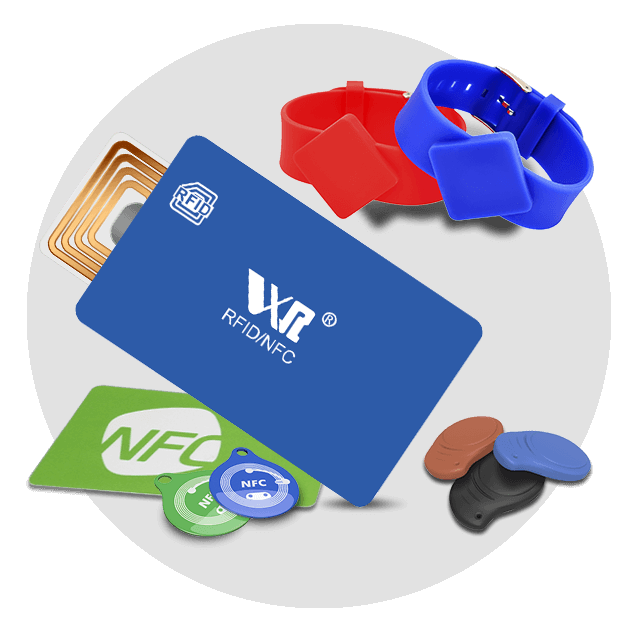
Access control projects need practical matching between the installed system and the physical credential. WXR can customize RFID cards, key fobs, wristbands, and labels with chip selection, material, logo printing, UID or serial printing, QR/barcode printing, and data encoding. Send your reader model, chip requirement, design, quantity, and testing environment so samples can be matched before mass production.
FAQ
What is the most common RFID mistake in access control?
The most common mistake is ordering credentials before confirming the reader system. Always confirm frequency, chip, credential format, encoding requirements, and sample performance before buying a full batch.
Is UID-only access control secure?
UID-only access can be acceptable for low-risk identification, but it should not be treated as strong security. Sensitive doors should use an access system and credential technology designed for authenticated or encrypted access.
Why do RFID cards work at one door but fail at another?
The cause may be reader compatibility, placement, metal interference, weak read field, damaged cards, controller settings, or inconsistent enrollment. Test the same credential at multiple doors and compare reader models and settings.
Should I test RFID access cards before mass production?
Yes. Test the credential with real readers, door hardware, holders, software enrollment, printed numbers, encoding files, and lost-card procedures.
Conclusion
Most RFID access control mistakes are preventable because they appear before installation: missing system details, weak credential assumptions, poor reader planning, and no pilot test. Treat the card or key fob as one part of a complete access system.
For custom access control RFID credentials, prepare the reader model, chip requirement, artwork, encoding data, numbering plan, quantity, and test environment before asking for samples.