
Quick Answer
NFC tags with QR codes give users two ways to open the same digital experience: tap the NFC tag or scan the printed code. NFC offers a fast interaction, while QR provides a visible fallback. This combination improves access coverage, but security, analytics, and content management still depend on the chip, URL platform, printing, mounting surface, and backend design.
How Do NFC Tags and QR Codes Work Together?
An NFC tag contains a chip and antenna. For common phone-based applications, it is usually encoded with an NDEF record containing a URL. A compatible phone reads it at very close range. A QR code stores data in a printed matrix that a camera scans. Both can open the same profile, product record, manual, authentication service, or campaign page.
The best setup usually avoids hard-coding an important final page in two unmanaged places. Instead, encode controlled redirect URLs or identifiers so the destination can be updated, monitored, or retired without replacing every tag.
NFC vs QR Code at a Glance
| Factor | NFC | QR code | Why combine them? |
|---|---|---|---|
| User action | Tap or bring the phone close | Open camera and align the code | Supports different user habits |
| Visibility | Chip and antenna can be hidden | Must remain visible and scannable | QR explains that an interaction exists |
| Cost | Requires an NFC inlay and encoding | Can be printed with existing artwork | QR adds a low-cost fallback |
| Environment | Can be affected by metal, liquid, and antenna placement | Can be affected by dirt, glare, curvature, damage, and low contrast | One method may still work when the other fails |
| Data updates | Rewritable on suitable unlocked tags; destination can also be redirected | Printed data is fixed, but a redirect destination can change | A shared redirect layer simplifies management |
| Security | Depends on chip and backend; ordinary static tags can be copied | Printed codes can be photographed or replaced | Sensitive projects need verification beyond either carrier |
Best Use Cases for NFC Tags with QR Codes
Smart Packaging and Product Information
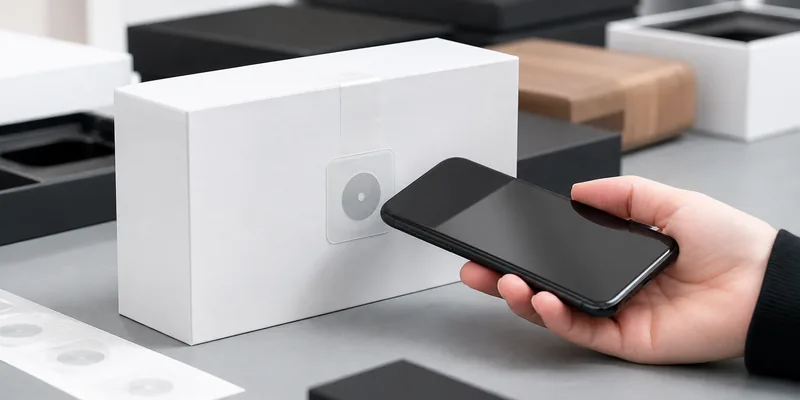
A package can let customers tap or scan to view instructions, origin information, warranty registration, recycling guidance, or a brand story. NFC creates a premium interaction, while QR makes the action obvious. Test the tag on the real package because metal foil, liquid, curves, and dense contents can change NFC performance.
Digital Business Cards and Networking
An NFC business card with a QR code works well at events, sales meetings, and reception desks. Both paths can open a vCard, portfolio, booking page, or social profile. QR works from a visible distance, while NFC helps when lighting or camera alignment makes scanning awkward.
Equipment Labels and Maintenance Records
Technicians can use a dual-access label to open service history, inspection forms, manuals, or asset records. Industrial labels must also match abrasion, adhesive, cleaning, temperature, outdoor, and metal-surface requirements.
Events, Exhibits, and Hospitality
Posters, badges, museum labels, and hotel information cards can support both tap and scan. Separate tracking URLs can show which interaction visitors preferred.
Product Authentication and Traceability
NFC and QR can connect an item to a digital record, but neither proves authenticity by itself. Higher-security programs may use a cryptographic NFC chip, dynamic messages, tamper evidence, serialized data, and server-side validation. The claim must match the actual chip and architecture.
Benefits of Combining NFC and QR Codes
Better access coverage. Users can choose the interaction their phone, environment, and habits support.
Clearer calls to action. NFC can be nearly invisible inside a product. A QR code and a short instruction such as "Tap or scan" tell users that digital content is available and provide an immediate fallback.
Channel comparison. Using distinct redirect URLs for NFC and QR can help teams compare tap and scan behavior while sending both groups to the same content.
Design flexibility. NFC can sit behind a graphic surface, while the QR code can be positioned where it has sufficient size, contrast, quiet zone, and camera access.
Limits and Risks to Plan For
Extra Unit and Production Cost
The NFC inlay, encoding, lamination, and quality control add cost. Dual technology is most justified when fallback access, premium interaction, or identity features create measurable value.
Phone and User Variability
Phone behavior varies by model, operating system, settings, tag format, app requirements, and antenna location. Provide visible instructions and test representative phones.
Physical Placement Problems
Metal can detune NFC, while liquid can reduce performance. QR can fail when it is too small, curved, low-contrast, reflective, or heavily damaged. Test the final product, not only a screen mockup.
Copying, Redirection, and Tampering
Static NFC records and QR codes can both be copied or replaced. Use controlled HTTPS domains, redirect monitoring, tamper evidence where appropriate, and secure NFC chips when stronger verification is required.
Incomplete Analytics
A scan or tap only proves that a destination opened. Analytics also depend on consent, privacy rules, browser behavior, and correct campaign parameters.
How to Specify a Dual NFC and QR Tag
Before requesting samples or a quote, define:
- The final user action and destination.
- The phone, app, or reader requirements.
- The NFC chip, memory, NDEF record, lock, password, or security needs.
- Whether NFC and QR use the same or separate redirect URLs.
- The label size, QR print area, artwork, serial data, and call to action.
- The mounting surface, especially metal, liquid, glass, plastic, paper, or curved packaging.
- Indoor, outdoor, cleaning, abrasion, temperature, and tamper requirements.
- Encoding, printing, data matching, quality inspection, and sample testing procedures.
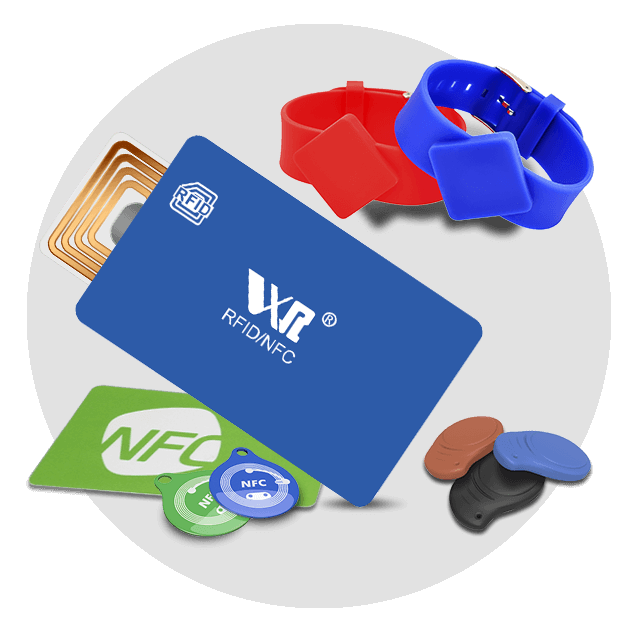
WXR can help buyers compare custom NFC tags, printed RFID stickers, 13.56 MHz tag formats, and NTAG chip options. Always test the finished construction on the real product before mass production.
Conclusion
NFC tags with QR codes are most useful when a physical product needs a fast tap experience plus a visible, widely understood fallback. Smart packaging, digital business cards, equipment records, events, hospitality, and connected products can all benefit from this dual-access design.
The limits are equally important: higher cost, phone variability, material interference, print quality, copying risks, and incomplete analytics. Treat NFC and QR as two front doors to a carefully managed digital system, not as the system itself.
Planning a dual NFC and QR label? Contact WXR with your application, chip preference, material, size, mounting surface, printing, encoding, quantity, and test environment to discuss a sample plan.
FAQ
Can an NFC tag and a QR code open the same URL?
Yes. Separate tracked redirects can send users to the same destination while distinguishing taps from scans.
Is NFC more secure than a QR code?
Not automatically. Stronger authentication requires a suitable secure NFC chip, cryptographic verification, and server-side controls.
Do NFC tags with QR codes work on metal?
Standard NFC inlays may perform poorly on metal. Use an anti-metal design or spacer and test the completed label.
Which NFC chip should I choose?
The choice depends on memory, URL length, compatibility, locking, authentication, and budget. Marketing projects may use NTAG213, NTAG215, or NTAG216; secure applications need a chip and backend designed for authentication.