
RFID encoding

Take a break and read all about it

Blank RFID Cards: What to Specify Before Printing and Encoding

Blank RFID cards are not just plain white cards. For a reliable access, membership, hotel, campus, or payment-related card project, the buyer has to specify the chip, frequency, card material, printing method, encoding data, and sample test plan before mass production. If those details are left vague, the finished card may look acceptable but fail at the reader, print poorly, or arrive with data that does not match the system.

This guide explains what to confirm before ordering custom RFID cards, especially blank PVC cards that will be printed, encoded, or personalized later. Use it as a quote-preparation checklist before you ask a supplier for samples.

What are blank RFID cards?

Blank RFID cards are card bodies with an embedded RFID or NFC chip and antenna, usually supplied without visible artwork. They may be plain white PVC cards, printable cards for card printers, or pre-produced smart cards ready for later logo printing, UID printing, QR codes, serial numbers, or data encoding.

The word “blank” can mean different things. Some buyers mean a completely white printable card. Others mean a non-printed card that is already encoded. Some need a contactless chip card with a magnetic stripe, signature panel, or barcode. Before requesting a quote, define exactly which version you need.
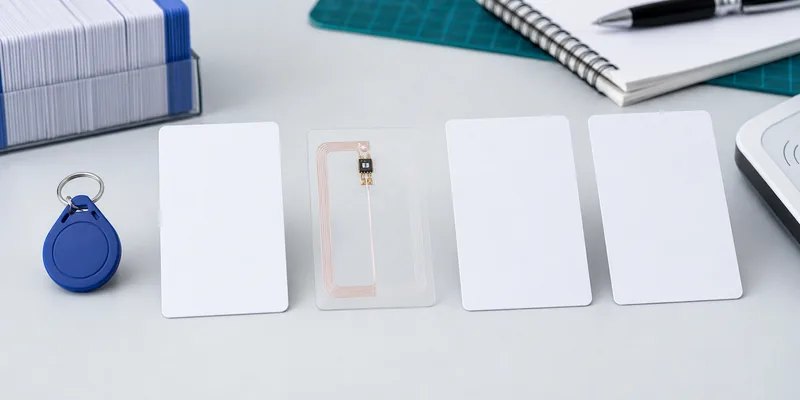
Blank RFID cards with different chip and frequency options for buyer selection
Chip, frequency, and reader compatibility should be confirmed before artwork or encoding is finalized.

Start with the reader system, not the card design

Artwork matters, but compatibility comes first. The reader system determines whether the card should use LF, HF, NFC, or another format. For many access control and hotel projects, buyers already have installed readers, software, and card management rules. In that case, the safest starting point is the chip or card type currently accepted by the system.

If the project is new, confirm the operating frequency before choosing a card. LF 125 kHz RFID cards are commonly used for simple close-range ID applications. HF 13.56 MHz RFID cards and NFC cards are used for many smart card, membership, hotel, and phone-interaction projects. UHF cards exist, but they are less common for normal wallet-style access cards and need more careful reader and orientation testing.

Specify the chip and memory requirements

Do not ask only for an “RFID card” or “NFC card.” That leaves too much room for mismatch. Instead, state the chip family or required protocol when known. For example, a buyer may need MIFARE Classic, MIFARE DESFire, NTAG213, NTAG215, NTAG216, TK4100, EM4100, or another chip type depending on the reader and application.

If you are replacing an existing card, send the supplier the readable chip information, not private system credentials. If your software integrator provides the chip requirement, use that exact name in the purchase request. WXR can help compare card formats, but the final chip choice should match the actual reader and access control software. For chip-selection background, see WXR’s guide on how to choose an RFID MIFARE chip.

Decide how the blank card will be printed

A blank RFID card may be printed by the supplier, printed by the buyer, or kept unprinted for later personalization. Each route has different risks.

Printing route Best fit What to confirm before ordering
Supplier offset or silkscreen printing Brand cards, hotel cards, membership programs, repeat designs Artwork file, color tolerance, surface finish, chip position, sample approval
Digital printing by supplier Short runs, variable serial numbers, QR codes, fast design changes Numbering logic, data file format, print durability, card surface
Inkjet or desktop card printing by buyer In-house personalization and small batches Printer compatibility, printable coating, drying time, smudge resistance, edge coverage
No printing System testing, internal cards, later local printing Chip type, UID format, packaging, card thickness, encoding status

For inkjet PVC cards, the coating matters. A normal glossy PVC card may not accept ink the same way as an inkjet-printable card. If the card will be printed in-house, ask for samples and test the exact printer, ink, drying time, and handling process before approving a bulk order.
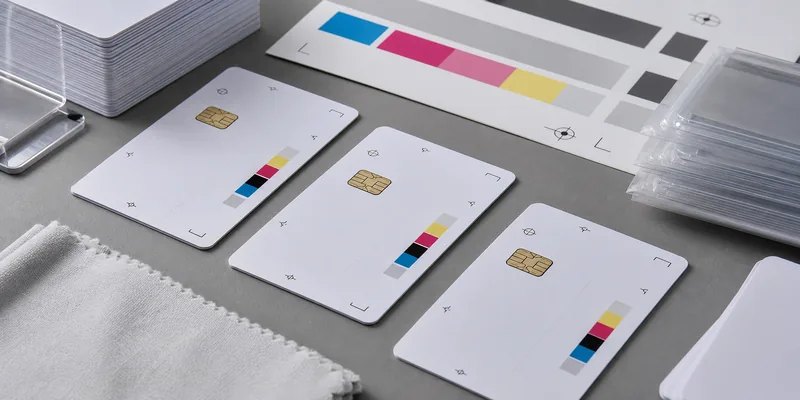
Custom printing tests on blank PVC RFID cards before bulk production
Print tests should check coating, alignment, drying, color tolerance, and card handling before bulk production.

Confirm encoding before production

Many card problems are data problems, not card-body problems. Before mass production, confirm whether the cards should ship blank, UID-only, or pre-encoded with a defined data structure. If WXR or another supplier will encode cards before shipment, provide a clear encoding file and explain which fields are fixed, variable, locked, or left writable.

For NFC cards, confirm whether the card needs an NDEF URL, vCard, app link, or another record. For access cards, confirm whether the system uses UID, sector data, encrypted keys, facility codes, card numbers, or a separate enrollment process. Do not share secret keys in a general purchase email; coordinate sensitive system credentials through the integrator’s approved process.

Check card body details that affect daily use

Most blank RFID cards look similar in a product photo, but small body details can change user experience and durability. Confirm the card size, thickness, corner radius, surface finish, chip position, antenna layout, and whether extra features such as a magnetic stripe, signature panel, barcode, QR code, punched slot, or matte surface are needed.

Standard card thickness is often chosen for compatibility with wallets and card printers, but do not assume it without confirming. If the card will be used in a lanyard, check whether a slot punch could damage the antenna. If it will be used near a phone case, metal holder, or reader with a tight enclosure, test the real use condition before approving final production.

Use a sample test plan before bulk orders

Samples should answer practical questions, not only prove that a card can be read once. Test the card with the actual reader, software, printer, artwork, encoding format, and user workflow. A good sample test includes:

  • Reader compatibility on every reader model used in the project
  • Read position and read speed in the normal user workflow
  • Encoding verification with the target software or enrollment process
  • Print alignment, color, drying, and scratch checks after handling
  • Card thickness and flexibility checks for wallets, holders, or dispensers
  • Packaging and numbering checks for distribution to users
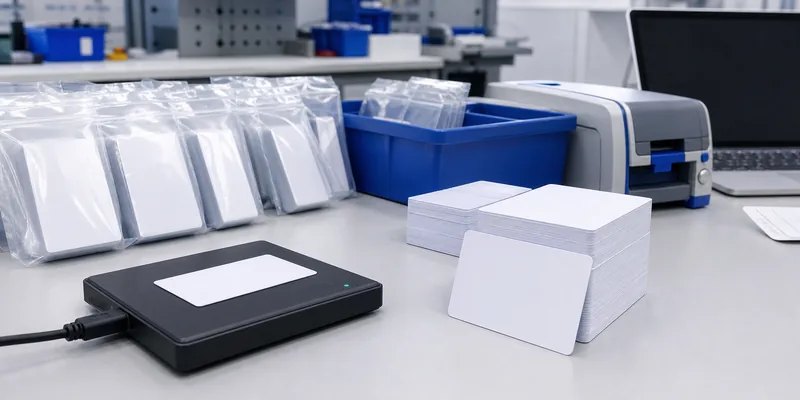
RFID card encoding and quality control for bulk blank card orders
Encoding and QC should verify data, reader response, packaging order, and print handling before delivery.

What to send WXR for a faster quote

To quote blank RFID cards accurately, WXR needs the project details that affect material, chip, printing, and encoding. A clear request should include the application, reader system, chip requirement, card size and thickness, printing method, artwork status, encoding needs, quantity, packaging preference, and sample deadline. If you are not sure which chip fits, share the reader model, existing card type, and target use case so the WXR team can suggest practical options.

For broader background, read what an RFID card is and the difference between NFC and RFID. When you are ready to compare samples, contact WXR with your card specification and testing requirements.

FAQ

Can blank RFID cards be printed with a desktop card printer?

Yes, but only if the card surface and printer are compatible. For inkjet printing, ask for inkjet-printable PVC card samples and test drying, smudging, edge coverage, and color before ordering in volume.

Should I choose LF, HF, NFC, or UHF for a blank RFID card?

Choose the frequency that matches the reader system. LF is often used for simple close-range ID, HF and NFC are common for smart cards and phone-related uses, and UHF needs project-specific testing because read behavior depends heavily on antenna setup and orientation.

Can WXR encode RFID cards before shipping?

WXR can support card encoding when the buyer provides the chip requirement and approved data format. Confirm which data should be written, locked, or left editable before production.

What is the main mistake buyers make with blank RFID cards?

The common mistake is approving the card design before confirming chip compatibility and encoding rules. A card can look correct and still fail if the chip, data format, or reader workflow is wrong.

What should I test before mass production?

Test the actual reader, software, printer, artwork, encoding file, card holder, and user workflow. If any of those change after sample approval, repeat the affected tests before ordering the full batch.

Schema recommendation: Article + FAQPage. The FAQ questions above are visible on the page and can support FAQPage schema if the SEO plugin allows it.
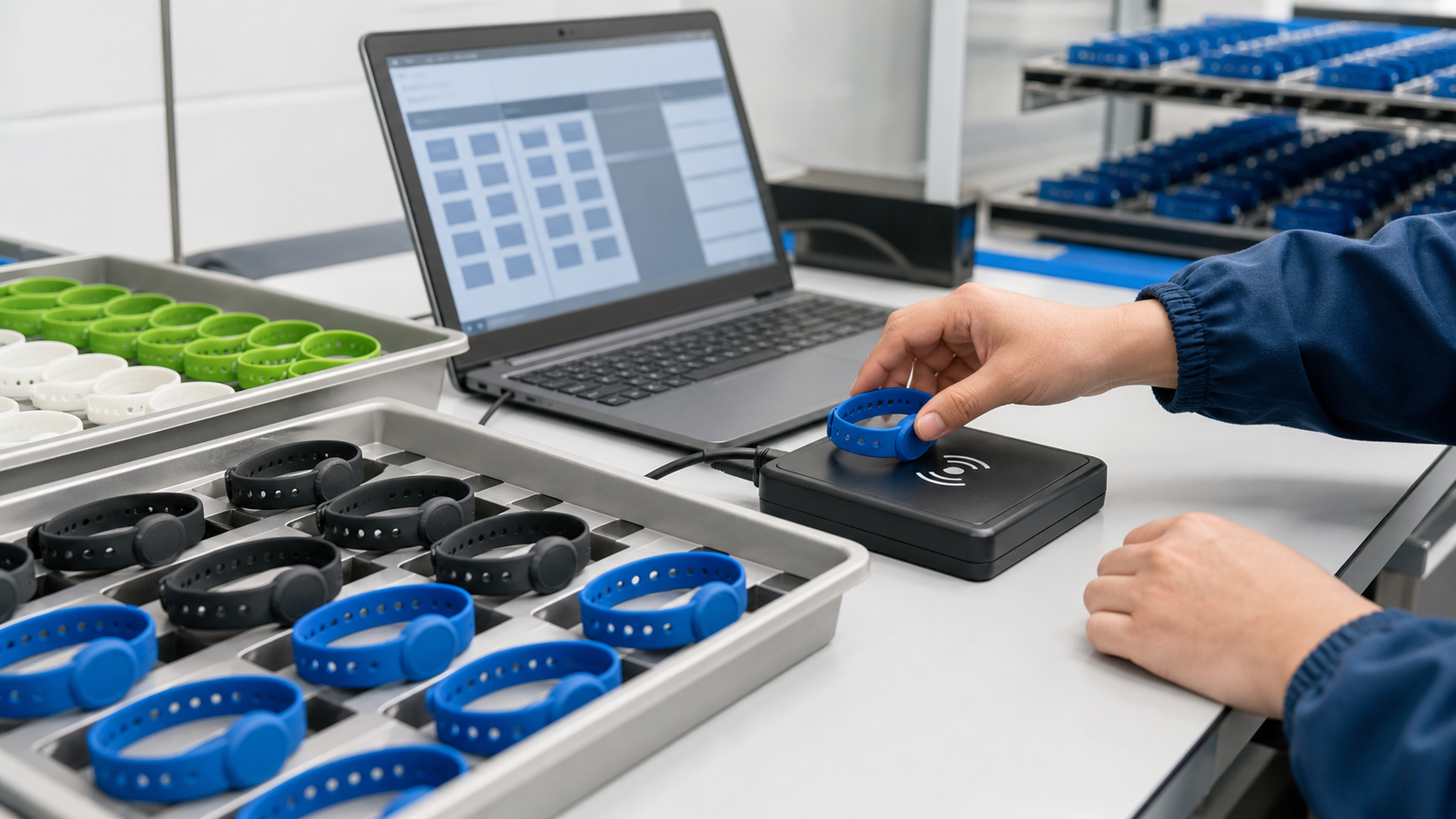
How to Encode and Program RFID Silicone Wristbands in Bulk

Technician bulk encoding colorful RFID silicone wristbands on a desktop RFID reader.

Bulk encoding RFID silicone wristbands is not just placing a wristband on a reader and clicking “write.” A reliable process starts with the right chip, a clean data file, compatible software, controlled tag handling, and a verification record.

For events, gyms, spas, hotels, hospitals, amusement parks, and access-control projects, every wristband should match the correct user, serial number, URL, access level, or account before deployment. This guide explains how to prepare, encode, verify, and hand off RFID silicone wristbands in bulk.

Quick Answer: What Does Bulk Encoding Mean?

Bulk encoding means writing planned data to many RFID wristbands in a controlled sequence, then reading each wristband back to confirm it is correct. The data may be an NFC URL, membership ID, access credential, EPC number, User memory value, or database reference.

A safe workflow is simple: confirm the chip, prepare one clean CSV row per wristband, write one controlled record at a time, verify the read-back value, lock or secure data only after testing, and keep UID, printed number, and encoded value mapped in one file.

Step 1: Confirm the RFID Chip and Frequency

The encoding method depends on the chip inside the silicone wristband. A reader for one frequency cannot program every wristband type.

Wristband type Common chips What can usually be encoded
LF 125 kHz wristbands TK4100, EM4100, EM4305, T5577 Fixed UID or simple rewritable ID, depending on chip
HF 13.56 MHz wristbands MIFARE Classic, MIFARE Ultralight, NTAG213/215/216, DESFire Access data, NDEF records, sector data, application data
UHF 860-960 MHz wristbands EPC Gen2 / RAIN RFID chips EPC memory, sometimes User memory, depending on chip

For many silicone wristband projects, HF 13.56 MHz is common because it fits access control, membership ID, event check-in, hotel or spa workflows, and NFC phone interactions. NTAG wristbands are often used for URLs or app links. MIFARE or DESFire wristbands are more common when the wristband must work with a closed access-control or payment system.

If your project needs longer read distance, review whether a UHF RFID tag format is suitable. If the project is NFC or access-control focused, start with 13.56 MHz RFID tags and confirm reader compatibility.

Step 2: Decide What Data Should Be Written

Before programming begins, decide whether the wristband will use the factory chip UID, a custom encoded value, or both. The chip UID is commonly used as a database key. Your software reads the UID and connects it to a user profile, ticket, room, locker, or membership account.

Custom encoded data is useful when the wristband must store a specific value, such as a membership number, NFC URL, access-control credential, UHF EPC number, User memory value, batch code, project code, or location code.

Avoid writing private customer data directly to the wristband unless your system, chip security, and privacy policy are designed for it. For secure access or payment, work with your system provider to define the correct chip type, keys, and authentication method.

Step 3: Prepare the Encoding File

Bulk encoding is easiest when the data is structured before production. A CSV file should contain one row per wristband. Useful columns include visual serial number, chip UID if already captured, encoded value, NDEF URL, EPC value, access group, printed QR or barcode, lock status, batch number, and packing sequence.

This file becomes the bridge between production, quality control, and your software import. If WXR pre-encodes wristbands before shipment, the same file can match printed serials, encoded values, and packing order.

Step 4: Set Up the Bulk Encoding Station

For LF and HF wristbands, use a desktop RFID or NFC reader that supports the target chip. A basic NFC writer may handle NTAG NDEF writing but may not support a secure MIFARE sector workflow. For UHF wristbands, use a UHF reader and software that can write EPC memory and verify the tag after writing.

The physical setup matters. Keep unencoded and encoded wristbands in separate trays. Present only one LF or HF wristband to the reader field at a time unless your system is designed for multi-tag handling. For UHF, control the read zone carefully because nearby tags may be detected unintentionally.

Step 5: Write, Read Back, and Verify Every Wristband

A practical workflow looks like this:

  1. Import the CSV file into the encoding software.
  2. Place one wristband on the reader or encoding fixture.
  3. Write the planned data to the correct memory area.
  4. Read the wristband back immediately.
  5. Compare the read-back value with the source file.
  6. Mark the record as passed, failed, or rewritten.
  7. Move the wristband to the correct output tray.

Verification is the most important part of bulk programming. A wristband that writes successfully but is mapped to the wrong printed number can still fail in the field. For printed serials, QR codes, or barcodes, verify the visual ID and encoded value together.

Step 6: Lock or Secure the Data at the Right Time

Many chips can be locked, password-protected, or configured to prevent unwanted rewriting. This is useful for event admission, cashless payment, and access-control projects, but it should happen only after sample testing.

Do not lock a full batch too early. First test the wristbands with real readers, gates, kiosks, mobile phones, POS terminals, or access-control panels. Once certain memory areas are locked, changing the data may be impossible or may require a predefined key process.

For NFC tags, confirm whether the NDEF data should remain rewritable, be soft locked, or be permanently locked. For MIFARE, confirm sector keys and access bits with the system provider. For UHF, confirm whether EPC, TID, and User memory are required. The GS1 EPC Tag Data Standard is a useful reference for EPC-based structures.

Step 7: Run Quality Control Before Shipment

Quality control should include sample inspection for color, size, logo printing, and silicone finish; reader compatibility testing; data read-back checks; duplicate-value checks; lock-status checks; and packing checks by serial number, color, or batch.

For high-risk projects, 100% electronic verification is recommended, especially when the wristband is linked to payment, personal access, paid tickets, or guest identity.

Common Bulk Encoding Mistakes

The most common mistake is choosing the wristband before confirming the reader system. A silicone wristband may look correct but contain the wrong chip. Other avoidable problems include assuming the UID can be changed, writing multiple wristbands at once, using duplicate CSV values, locking memory before testing, mixing batches after encoding, and skipping real-system testing.

Should You Encode In-House or Ask the Factory?

In-house encoding makes sense when you need last-minute user assignment, daily membership updates, or direct control inside your software. Factory pre-encoding is better when the data is known before production and you want wristbands delivered ready for deployment.

WXR can customize RFID wristbands with chip selection, silicone color, logo printing, UID or serial printing, QR/barcode printing, and data encoding. For projects that need controlled matching between printed numbers and encoded values, factory pre-encoding can reduce setup time and error risk.

What to Send Your RFID Wristband Supplier

To avoid delays, send your application, frequency, chip requirement, reader model, encoding format, CSV data file, printing needs, quantity, packing sequence, deadline, and lock requirement.

If you are not sure which chip fits your system, contact WXR with your reader model, application, and sample data requirement. The team can recommend a suitable wristband chip and prepare samples before mass production.

FAQ

Can RFID silicone wristbands be programmed in bulk?

Yes. RFID silicone wristbands can be programmed in bulk if the chip is writable and the encoding station uses a compatible reader, software, and verification process. Some chips are read-only, so confirm the chip type before ordering.

Can I change the UID of an RFID wristband?

Usually no. The manufacturer UID is normally fixed. Some special rewritable or clone-style chips exist, but they should be used only when the system specifically supports them and the security implications are understood.

Which chip is best for NFC wristband programming?

For simple NFC phone interactions, NTAG213, NTAG215, and NTAG216 are common options. NXP documents these as NFC Forum Type 2 Tag compatible chips with different user-memory sizes, so choose based on data length and project requirement.

How do I avoid duplicate encoded values?

Use a controlled CSV file, check for duplicates before writing, and read back every wristband after encoding. Keep the final mapping file with UID, printed serial number, encoded value, and packing sequence.

Should RFID wristbands be locked after encoding?

Locking is useful when the data should not be changed after deployment. However, lock only after sample testing, full data verification, and confirmation from the software or access-control provider.

Conclusion

The best way to encode RFID silicone wristbands in bulk is to treat encoding as a production workflow, not a manual afterthought. Confirm the chip, prepare clean data, write one controlled record at a time, verify every wristband, and lock data only after testing.

For event, gym, spa, hospital, hotel, and membership projects, WXR can help match the wristband chip, material, printing, encoding, and packing sequence to your deployment workflow. Share your reader system, data format, and quantity to request samples or a custom quote.

Ask For A Quick Quote

Your inquiry will be replied within 24 hours! Please pay attention to the email with the suffix “@tag-rfid.com”. If not received, please check your spam email.