
Blank printable NFC stickers can be programmed in minutes: create an NDEF record in a phone app, tap the phone to the sticker to write it, then scan the tag again to verify it. A reliable rollout also requires the right chip, printer, mounting surface, lock state, redirect link, and batch QA. This eight-step process covers the complete deployment.
1. Define What the NFC Sticker Should Do
Start with the user action, not the chip. A sticker can open a product page, manual, registration form, menu, social profile, authentication result, or maintenance record.
For public campaigns, write a short HTTPS redirect URL on a domain you control. You can then change the destination without rewriting deployed stickers and add UTM parameters or unique IDs for analytics. Do not store passwords or private customer data; standard NDEF content may be readable by anyone with a compatible phone.
2. Choose the Right Printable NFC Sticker
Confirm the chip, construction, print method, and mounting surface before buying. According to the NXP NTAG213/215/216 datasheet, these chips provide 144, 504, and 888 bytes of user memory respectively.
| Option | Practical fit | What to confirm |
|---|---|---|
| NTAG213 | Short URLs and common tap-to-open uses | URL length, phone compatibility, lock requirements |
| NTAG215 | Larger NDEF records or application-specific needs | Actual data size and software support |
| NTAG216 | More memory for larger records | Whether extra memory is genuinely necessary |
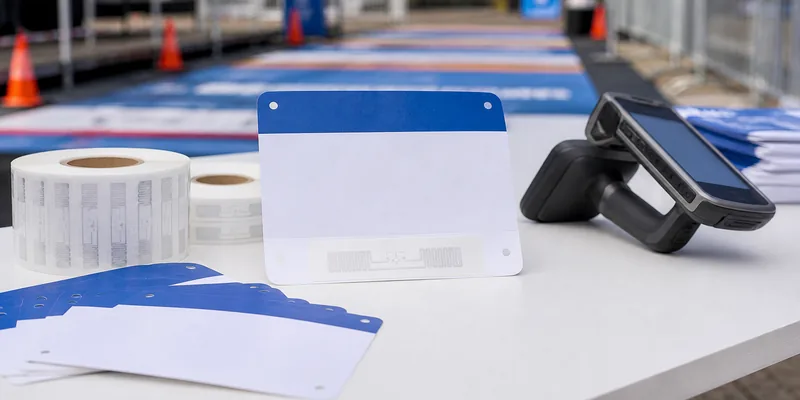
Ask whether the face stock is designed for your inkjet, laser, thermal transfer, or digital press. Confirm label size, roll core, gap, liner, adhesive, and sensor requirements. A label described as “printable” is not compatible with every printer.
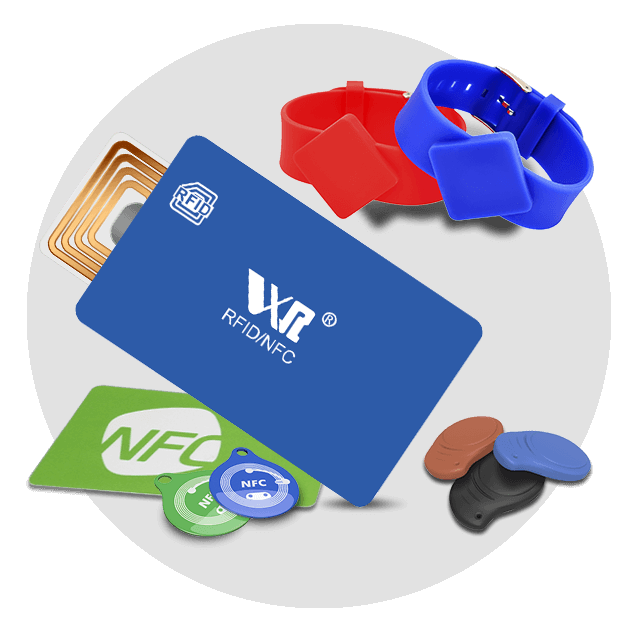
Standard NFC inlays can perform poorly on metal. Use a ferrite-backed on-metal NFC sticker and test it on the actual object. WXR offers NFC tag formats and adhesive RFID stickers for different applications.
3. Design and Print the Sticker
Add a clear NFC symbol and instruction such as “Tap for product details.” A fallback URL or QR code helps when NFC is disabled or unfamiliar.
Follow the printer’s bleed and die-cut requirements. Do not crease, punch, or cut through the antenna. Metallic foil and conductive inks may change RF performance, so test decorated samples. For variable data, map each printed serial number or QR code to the URL encoded in the same label.
4. Program One Pilot Sticker
NFC phones exchange structured data through NDEF, the NFC Data Exchange Format standardized by the NFC Forum.
Use NFC Tools or another reputable NDEF writer that supports your phone and tag type:
- Enable NFC on the phone if the device requires it.
- Open the app and choose Write or Create Record.
- Select URL/URI and enter your short HTTPS link.
- Choose the app’s write command.
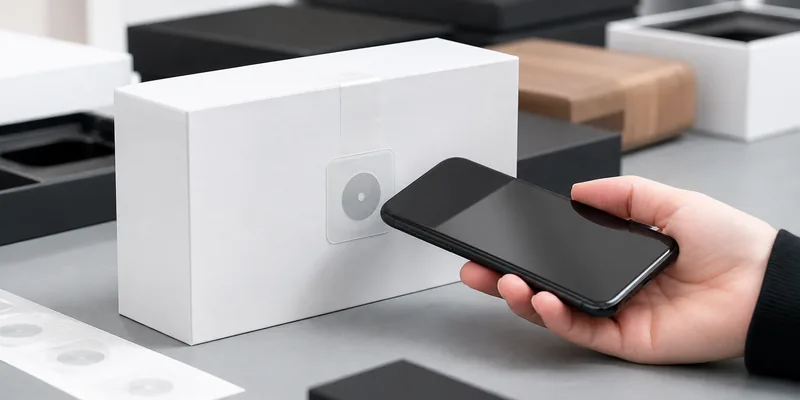
- Hold the phone’s NFC antenna steadily over the center of the sticker until the app confirms success.
- Move the phone away, then scan the tag as a normal user.
If writing fails, move the tag slowly around the back of the phone, remove thick or metallic cases, and try again without bending the label.
5. Verify the User Experience
A successful “write” message is not enough. Confirm the exact URL, secure mobile landing page, and normal tap behavior on several current iPhone and Android models. Apple Core NFC and Android NFC handle NDEF tags through different platform features, and antenna positions vary.
Test again after attaching the sticker to its final package, sign, asset, or fixture. Mounting material and nearby metal can change the result.
6. Encode and QA the Batch
For dozens of identical stickers, repeat the approved NDEF record with a phone. For hundreds or thousands, use controlled printing and encoding with variable URLs, serial numbers, QR codes, and verification results.
Record the batch number, printed ID, encoded URL, UID when required, verification result, lock state, and destination. Use 100% electronic verification for high-value unique links or a documented sampling plan for lower-risk identical records.
7. Decide Whether to Lock the Tag
Many blank NFC stickers remain rewritable until locked. Locking can prevent accidental changes, but it does not turn a basic tag into a secure authentication product. Use permanent read-only mode only after the design, NDEF record, redirect, and placement are approved. Test the irreversible workflow on spare samples first.
8. Deploy, Monitor, and Maintain
Clean and dry the surface, apply the sticker flat, and keep it away from edges that fold or flex. Make the tap point visible and reachable. After installation, rescan a sample and monitor redirect logs, landing-page analytics, and failed destinations. Unique redirects also let you disable one damaged or misused label without changing the full campaign.
Printable NFC Sticker Deployment Checklist
- Confirm the phone action and final landing page.
- Select adequate chip memory without overspecifying it.
- Match the label face stock and roll format to the printer.
- Use an on-metal construction when the mounting surface requires it.
- Print a clear tap instruction and optional fallback.
- Write a short HTTPS URL as an NDEF record.
- Verify the record on multiple iPhone and Android devices.
- Test after attachment to the real product or surface.
- Lock only after final approval.
- Record batch, encoded data, QA result, and deployment location.
Common Mistakes to Avoid
Common failures include using a standard label on metal, choosing an incompatible printer process, cutting the antenna, locking before verification, and testing only one phone. Run a small pilot under production conditions before applying the full batch.
FAQ
Can I program NFC stickers with an iPhone or Android phone?
Yes, many current NFC-enabled iPhone and Android phones can write compatible NDEF tags through an NFC writer app. Device support and antenna position vary, so verify the exact phones used in your project.
Can I print directly on blank NFC stickers?
Yes, when the label face stock and roll or sheet construction are made for your printing process. Confirm inkjet, laser, thermal transfer, or digital press compatibility with the supplier and printer manufacturer before production.
Should I use NTAG213, NTAG215, or NTAG216?
NTAG213 is often sufficient for a short URL. Choose NTAG215 or NTAG216 when the NDEF record requires more memory or the application specifies those chips. Calculate the actual encoded size before ordering.
Do printable NFC stickers work on metal?
Standard NFC stickers often lose performance on metal. Use an on-metal NFC label with a ferrite isolation layer and test it on the final metal surface.
Conclusion
Programming one NFC sticker is easy; deploying a reliable batch requires controlled printing, encoding, testing, and records. Use a short NDEF URL, verify across phones and final surfaces, and lock only after approval.
Need printable NFC stickers for product information, authentication, or smart packaging? Contact WXR with your chip, size, material, printer, surface, artwork, encoding file, quantity, and test requirements. WXR can help compare NTAG213, NTAG215, NTAG216, waterproof, anti-metal, and custom printed formats.