Access Control RFID Tags

Take a break and read all about it

RFID Key Fobs for Access Control: Chip, Material, and Encoding Checklist

RFID key fobs are simple to carry, but bulk ordering them for an access control project is rarely simple. The buyer has to match the chip to existing readers, choose a housing that survives daily use, decide whether IDs should be printed or encoded before shipment, and test samples before the full batch is produced.

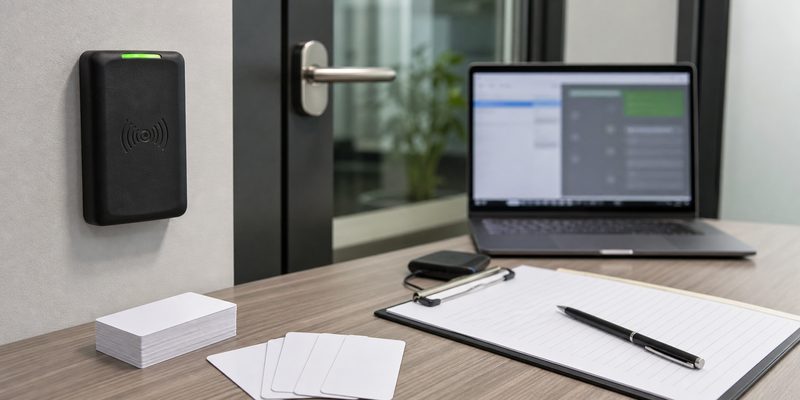
For most access control projects, the safest starting point is not the fob shape. Start with the reader system. Confirm the frequency, chip family, card number format, encoding rule, and whether the system reads only a UID/CSN or a protected memory sector. After that, the material, color, logo, serial printing, and packaging choices become much easier to specify.

WXR supplies custom RFID key fobs for access control, membership, hotel, gym, campus, and visitor ID projects. Use the checklist below before asking for samples or a quote.
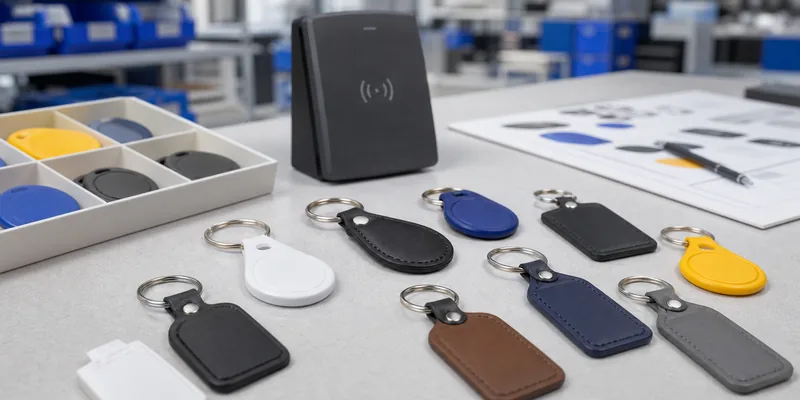
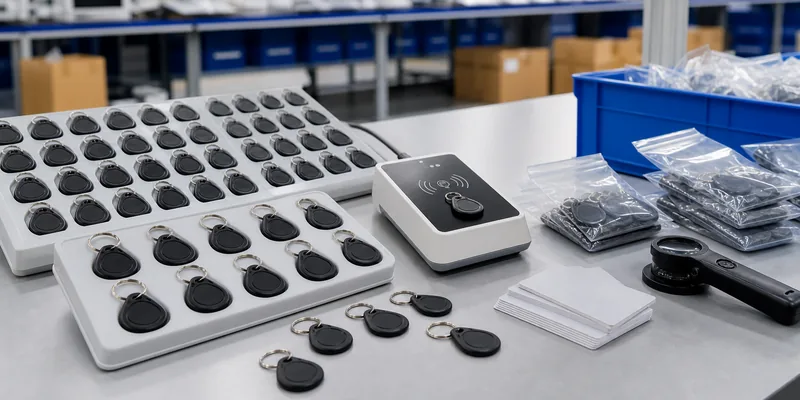
Assorted RFID key fobs for access control procurement

What Is an RFID Key Fob?

An RFID key fob is a small contactless credential with an RFID chip and antenna sealed inside a plastic, epoxy, leather-style, wooden, or other compact housing. Users present the fob near a reader to identify themselves for door access, attendance, membership check-in, parking, lockers, or other controlled workflows.

Compared with cards, key fobs are harder to forget because they stay on a key ring. Compared with wristbands, they feel more natural for employees, tenants, gym members, and hotel staff who already carry keys. The tradeoff is that fobs have less print area than a card, so buyers need to plan serial numbers, color coding, laser marking, or small logo placement carefully.

Start With Reader Compatibility

Access control projects fail when the fob is treated as a generic item. Two key fobs can look identical but use different frequencies, chips, memory structures, and data formats.

Use this compatibility table before choosing shape or color.

Requirement to Confirm Why It Matters What to Send the Supplier
Frequency LF, HF/NFC, and UHF systems use different reader hardware. Reader model, current card/fob sample, frequency if known.
Chip family TK4100, EM, T5577, MIFARE, DESFire, NTAG, and other chips behave differently. Exact chip request or photos/specs from existing credentials.
Data format Some systems read UID/CSN; others need facility code, card number, Wiegand format, or encrypted sectors. Existing credential number rule and access controller requirement.
Security level Simple UID credentials are easier to clone than managed smart-card formats. Risk level, migration plan, and whether encryption is required.
Encoding before shipment Bulk orders often need sequential IDs or imported access numbers. Encoding file, number range, checksum rule, and sample approval process.

If the project is a direct replacement, send WXR a working credential sample or a clear reader/controller specification. If the project is new, compare 125 kHz RFID tags, 13.56 MHz RFID tags, and the broader guide to LF, HF, and UHF frequency before deciding.

Choose LF, HF, or NFC Based on the System

LF 125 kHz key fobs are common in legacy door access and time attendance systems. They are often chosen for simple ID reading at short distance. Common chip families include TK4100, EM4100/EM4200, EM4305, and T5577, but compatibility should be confirmed against the actual controller.

HF 13.56 MHz key fobs are common where the project needs MIFARE, DESFire, Ultralight, NTAG, ICODE, or other HF/NFC chips. HF is often selected for membership, hotel, campus, payment-adjacent, or multi-application credentials. If the system uses MIFARE Classic, DESFire, or another secure format, confirm sector keys, application structure, and encoding responsibility before production.

NFC key fobs can also support phone interaction when the chip, memory, encoding, and phone behavior fit the use case. For a public NFC action such as opening a URL, NTAG chips may be relevant. For controlled access, do not assume an NFC phone-use chip is compatible with a door reader.

UHF key fobs exist, but they are not the default for normal door presentation. UHF is more common when the project needs longer-distance identification, asset tracking, parking, or hands-free gate applications. Test orientation and reader placement before treating UHF as a credential replacement.
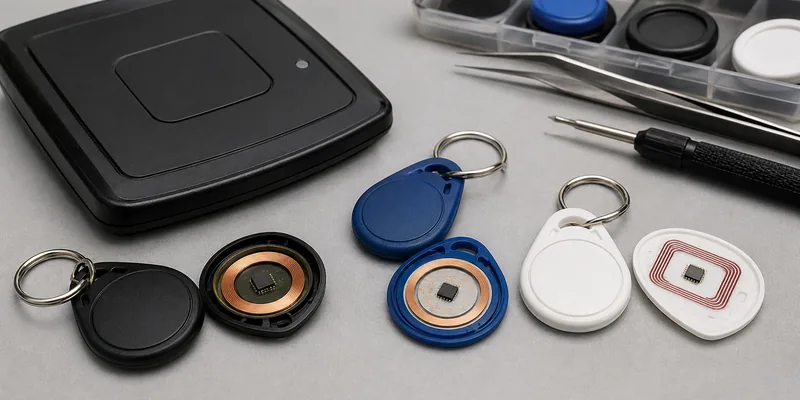
RFID key fob chip and frequency selection

Material and Shape Affect Daily Use

ABS plastic is a common key fob material because it is light, durable, and suitable for sealed everyday credentials. Epoxy fobs can support stronger visual branding and a polished surface. PU or leather-style key fobs are often chosen for hotels, offices, clubs, and VIP membership programs where appearance matters. Wooden keychains may fit hospitality or branded gift use, but they should be tested for the actual reader distance and handling environment.

Before finalizing the housing, check:

  • Key ring strength and hole position.
  • Thickness near the reader surface.
  • Color coding for buildings, departments, member tiers, or visitor types.
  • Logo size and whether printing, laser marking, or epoxy finish is more suitable.
  • Whether UID, serial number, barcode, QR code, or human-readable ID must appear on the fob.
  • Packaging method for encoded batches, especially if each fob must match a user list.

Avoid choosing a beautiful housing before testing the chip in that housing. Antenna size, internal placement, and reader field strength can change performance.

Encoding Details Buyers Should Prepare

Encoding is where many bulk orders slow down. The supplier cannot safely guess how your access system expects numbers to be stored.

Prepare a simple encoding brief:

  1. Existing card or fob sample, if replacing an old credential.
  2. Chip type and frequency required by the reader.
  3. UID-only, block/sector write, NDEF, Wiegand number, facility code, or custom format.
  4. Starting number, ending number, and whether numbers must be printed on the fobs.
  5. Whether the encoded data should be locked, password-protected, or left rewritable.
  6. A sample approval rule: how many pieces will be tested before mass production starts.
  7. Packaging order: sequential trays, individual bags, department groups, or mixed colors.

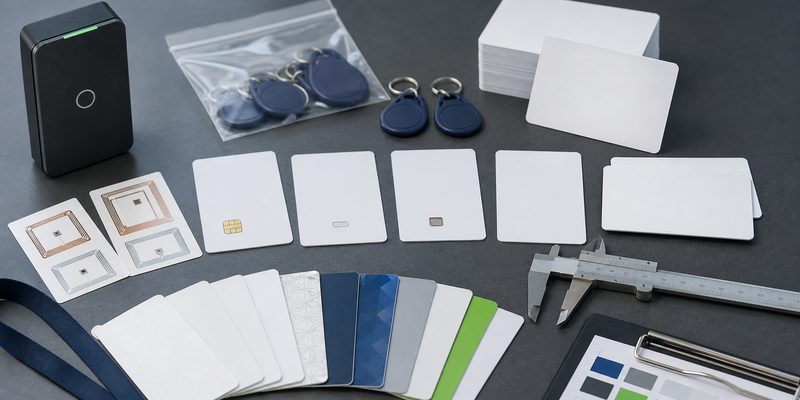
For access control projects using cards, key fobs, and wristbands together, keep the same credential rule across all formats where the system allows it. WXR can also support related RFID cards and RFID wristbands when a project needs multiple credential types.

Sample Testing Plan Before Mass Production

Do not approve a bulk RFID key fob order from a catalog image alone. Test the exact chip, housing, encoding, reader, and door/controller workflow.

A practical sample test should include:

  • Read test on every reader model in the project.
  • Enrollment test in the access control software.
  • Duplicate-number check if sequential encoding is requested.
  • Printed number or logo inspection under normal handling.
  • Key ring pull and daily-carry handling check.
  • Test near phones, wallets, metal key rings, and other items users will carry.
  • Small mixed-color batch test if the final order uses multiple colors or departments.

Record the sample ID, chip, encoding file version, and approval result. This prevents confusion when the final batch is produced weeks later.
RFID key fob encoding and QC workflow

Questions to Ask an RFID Key Fob Supplier

Ask practical questions that affect delivery quality:

  • Can you match the chip used by our current reader system?
  • Can you encode sample fobs before bulk production?
  • Can each fob be printed or laser marked with a serial number?
  • How will encoded fobs be packed so our team can enroll them correctly?
  • Can the same chip be supplied in card, wristband, or key fob format?
  • What should we test before approving the final order?

Do not rely on broad claims like “compatible with all readers.” Ask for sample testing and confirm the real reader, controller, and software workflow.

How WXR Can Support Custom RFID Key Fob Orders

WXR can help buyers compare chip options, fob housing materials, printing methods, serial number rules, encoding files, and sample test plans for access control and membership projects. Share your reader model, current credential sample, target chip, printing artwork, encoding requirement, quantity, and packaging preference.

If you are unsure which credential format fits the project, review WXR’s access control RFID tags and then contact WXR with your application details. The correct fob is the one that works with your system, survives daily handling, and arrives encoded in a way your team can enroll without rework.

FAQ

Which RFID key fob chip should I choose for access control?

Choose the chip that matches your existing reader and controller. LF systems often use 125 kHz chips such as TK4100, EM, T5577, or related formats. HF systems may use MIFARE, DESFire, NTAG, ICODE, or another 13.56 MHz chip. Confirm with a working credential sample or reader specification before ordering.

Can RFID key fobs be encoded before shipping?

Yes, RFID key fobs can often be encoded before shipment when the buyer provides the correct format, number range, and approval sample. The exact process depends on chip type, memory access, encryption, and the access control system.

Are RFID key fobs better than RFID cards?

Key fobs are easier to carry on a key ring and are useful for buildings, gyms, clubs, hotels, and member access. RFID cards offer more print area for photos, names, and branding. Many projects use both formats with the same chip family.

Can WXR customize RFID key fob color, logo, and serial numbers?

WXR can support custom colors, shapes, materials, logo printing, serial numbers, UID printing, QR codes, barcodes, and encoding depending on the selected fob type. Confirm artwork, marking method, and sample approval before bulk production.

How should I test RFID key fob samples?

Test the exact sample on each reader model, enroll it in the software, check the encoded number, inspect printing, and carry it with normal keys or phone items. Approve mass production only after the access workflow works end to end.
MIFARE DESFire Cards for Access Control: Classic vs DESFire Buyer Checklist

Choose MIFARE DESFire cards when an access control project needs stronger application-level security, more flexible file structure, multi-application use, or a migration path for higher-risk doors. MIFARE Classic cards can still be useful for low-cost legacy systems when the installed reader platform only supports Classic, but buyers should confirm the security expectations, reader compatibility, encoding rules, and sample test results before placing a bulk order.

Access control buyers often ask for “MIFARE cards” as if it were one product. In practice, a card order can involve different chip families, memory sizes, printing materials, UID or sector encoding rules, and reader-side constraints. WXR supplies custom RFID cards, key fobs, and wristbands for access projects, so the important question is not only which chip sounds stronger. The practical question is which credential your reader, software, security policy, and rollout plan can actually support.

Blank RFID access cards and key fobs prepared for MIFARE DESFire access control selection

What are MIFARE DESFire cards?

MIFARE DESFire cards are 13.56 MHz HF RFID smart cards used in access control, campus ID, transit, membership, and multi-application projects. Public chip documentation describes DESFire as an ISO/IEC 14443 Type A product family with options such as DES, 2K3DES, 3K3DES, and AES-based security, flexible files, and application-level access rights. For buyers, that usually means DESFire is considered when a project needs more than a simple serial-number credential.

On the WXR site, the MIFARE DESFire 2K/4K/8K product cluster appears together with cards, key fobs, wristbands, and other form factors. That matters because chip choice and physical format are separate decisions. A hotel key card, staff ID card, epoxy key fob, and event wristband can carry different chips, but each format must still match the reader and software environment.

MIFARE Classic vs DESFire: the buyer-level difference

MIFARE Classic is widely used because many older access readers and low-cost systems support it. It is commonly requested for staff cards, member cards, hotel cards, ticket cards, and basic door credentials. However, many integrators now treat Classic as a legacy or compatibility choice rather than a default choice for higher-security projects.

DESFire is usually considered when the project needs stronger authentication, multiple applications on one credential, better privacy options, or more controlled key management. It may also be preferred when the access system vendor specifically requires DESFire EV1, EV2, EV3, or a defined memory size. The safest procurement rule is simple: do not upgrade the card chip before confirming reader firmware, access control software, key diversification, encoding workflow, and enrollment method.

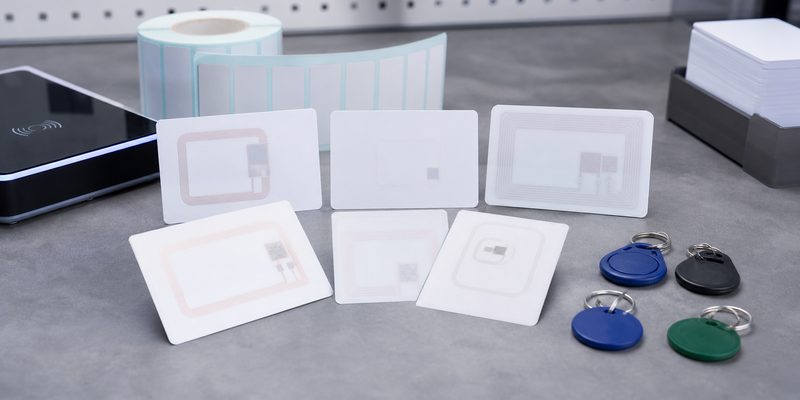
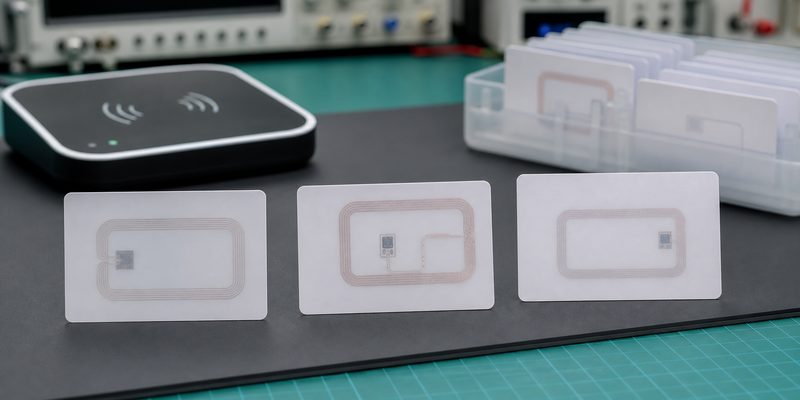
Close-up comparison of blank MIFARE-style RFID card samples with visible antenna layouts

Comparison table for procurement

Decision point MIFARE Classic MIFARE DESFire What to confirm before ordering
Typical role Legacy access, simple ID, low-cost cards Higher-security access, multi-application credentials Reader and software support, not only chip availability
Reader compatibility Often supported by older 13.56 MHz readers Requires compatible readers and system configuration Exact reader model, firmware, card enrollment method
Security model Usually selected for compatibility and cost Supports stronger application-level controls depending on configuration Whether the system uses UID only, sectors/files, keys, or secure applications
Memory planning Commonly 1K or 4K variants Commonly 2K, 4K, or 8K variants, with other options depending on chip generation Data fields, application count, encoding map, future expansion
Migration fit Useful when the installed base cannot change Useful when upgrading security or adding applications Pilot schedule, mixed-card operation, staff reissue plan
WXR format options Cards, key fobs, wristbands, and ticket formats depending on project Cards, DESFire key fobs, wristbands, and custom formats depending on chip availability Card body, printing, UID/serial/QR printing, packaging, encoding file

When should you choose DESFire for access control?

Choose DESFire when the access control system already supports it or when the project owner is actively upgrading the credential security model. Typical examples include corporate offices, campuses, labs, government facilities, premium gyms, staff-and-payment cards, or sites that want one credential for door access plus other internal services.

DESFire is also worth discussing when an integrator asks for controlled application files instead of simply reading a card UID. If the system only reads the UID, a DESFire card may not deliver the expected security benefit. In that case, the bottleneck is the system design, not the card body. Buyers should ask the software or reader vendor exactly what data is read during door authentication.

When can MIFARE Classic still make sense?

Classic can still be practical when the site has a large installed base of compatible readers, a tight replacement budget, and low-risk doors where the access platform only accepts Classic credentials. In that situation, forcing DESFire may create operational problems if the reader cannot enroll or authenticate the card.

That does not mean every legacy order should stay unchanged. If the site is replacing readers, issuing credentials to a larger user group, or adding payment, attendance, visitor management, or mobile credential plans, it is a good time to compare MIFARE Class 1K, DESFire, MIFARE Plus, and other 13.56 MHz RFID tags with the system vendor.

RFID access card samples tested with a wall reader before bulk production

Specification checklist before requesting a quote

A useful RFQ should tell the manufacturer more than “we need MIFARE cards.” For access control RFID tags, prepare these details before asking for samples:

  • Card format: PVC card, PET card, epoxy key fob, wristband, wooden card, metal card, or another credential type.
  • Chip requirement: exact chip family, memory size, UID type, and whether substitutions are allowed.
  • Reader environment: reader brand/model, frequency, supported protocols, and whether the system reads UID, sectors, files, or application data.
  • Encoding file: UID list, card number format, sector or application structure, access keys, and whether data must be locked.
  • Printing needs: logo, user name, photo, serial number, barcode, QR code, signature panel, magnetic stripe, or matte/gloss finish.
  • Operating conditions: indoor or outdoor use, wallet use, door reader distance, cleaning exposure, bending risk, and expected credential lifetime.
  • Sample test plan: how many samples, which readers, which doors, enrollment steps, rejection criteria, and who signs off before mass production.

Sample testing: do this before bulk production

Before approving thousands of cards, test a small batch on real doors and with the real enrollment workflow. Do not test only with a desktop reader unless desktop enrollment is the whole use case. A good pilot checks card read consistency, door unlock speed, anti-passback behavior, software record matching, printed number matching, and whether replacement cards can be issued without confusing the access database.

If DESFire is required, confirm that the integrator can provide the correct application and key instructions. If the buyer does not control the keys, WXR should not guess the encoding map. The practical path is to ask the access system vendor for a sample encoding specification, then use WXR samples to confirm the card body, chip, printing, and read behavior before production.

Custom RFID card and key fob samples arranged for material chip and encoding review

How WXR can support a custom RFID card project

WXR can help buyers compare RFID cards, key fobs, and wristband credentials based on chip, material, printing, encoding, and packaging requirements. For card projects, share the application, reader system, chip requirement, design file, quantity, encoding needs, and sample test conditions. If you are not sure whether to order Classic or DESFire, send the reader model and current card information first, then request samples for validation.

For background reading, buyers can also review WXR’s guide on what an RFID card is and the earlier article on how to choose an RFID MIFARE chip. When the specification is ready, contact WXR with the project details so the team can recommend a card format and sample plan.

FAQ

Are MIFARE DESFire cards always better than MIFARE Classic cards?

Not always. DESFire can support stronger and more flexible access designs, but it only helps when the reader and software are configured to use those features. If a legacy system only supports Classic, compatibility may decide the short-term order.

Can WXR encode DESFire cards before shipping?

WXR can discuss encoding requirements, but DESFire projects need a clear encoding specification from the access system owner or integrator. Buyers should not ask the manufacturer to guess keys, files, or application settings.

Which memory size should I choose for DESFire cards?

Choose memory based on the number of applications, files, and data fields required by the access system. For simple access, a smaller memory option may be enough; for multi-application cards, confirm the required structure with the integrator.

Can I use the same printed card design with different chips?

Often yes, if the antenna and chip package fit the card construction. Confirm chip availability, card thickness, printing method, and sample read performance before approving mass production.

What should I test before approving bulk RFID access cards?

Test the sample cards on actual doors, with the real enrollment software, reader settings, user permissions, and printed card numbering. Check failure cases such as duplicate records, lost-card replacement, and mixed old/new card use.

Ask For A Quick Quote

Your inquiry will be replied within 24 hours! Please pay attention to the email with the suffix “@tag-rfid.com”. If not received, please check your spam email.